
Software Testing Full Course 2022
This course will help you become a pro in software testing and can be your best learning support to start your journey as a software tester. So watch the software testing full course 2022 for free, powered by great learning.

Playwright Beginner Tutorial - How to Install
Learn to install Playwright for automated testing using Node.js commands or VS Code extension. Covers project setup, configuration, and basic usage for beginners.

Selenium Using Python
Comprehensive guide to Selenium automation with Python, covering IDE, WebDriver, Grid, and RC. Learn testing techniques and compare tools for effective web automation.
Selenium with Python
Learn to integrate Selenium with Python for automated testing, including WebDriver usage, locators, PyTest, and practical applications like WhatsApp bot automation and web scraping.
Appium Tutorial for Beginners
Learn to set up and use Appium for Android app testing. Covers installation, configuration, and running tests on real devices and emulators. Ideal for beginners in mobile automation testing.
ServiceNow Guide for Developers
Learn ServiceNow development essentials: integration, automation testing, LDAP configuration, REST APIs, catalog items, approval workflows, and more. Enhance your skills with practical use cases and hands-on examples.

An End to End Playwright Testing Tutorial - Playwright With TypeScript
Comprehensive Playwright testing tutorial covering installation, features, interactions, and cross-browser testing. Learn to automate web testing efficiently using TypeScript and LambdaTest cloud platform.
Learn xUnit Testing With Selenium C#
Comprehensive xUnit tutorial covering setup, Selenium integration, parameterized tests, parallel execution, cross-browser testing, geolocation, and page objects for effective C# automation testing.
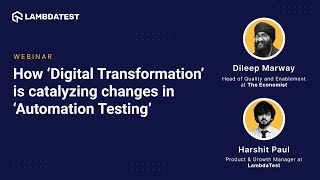
How Digital Transformation Is Catalyzing Changes in Automation Testing
Explore how digital transformation impacts automation testing, focusing on QA community practices, web-based approaches for customer feedback, and the role of compatibility testing in DevSecOps.

Scalable and Reliable Cross Browser Testing With Cypress Framework - LambdaTest Webinar
Learn Cypress automation at scale: installation, cross-browser testing, avoiding flaky tests, and leveraging LambdaTest for efficient end-to-end testing. Gain insights from experts on Cypress vs. Selenium and best practices.
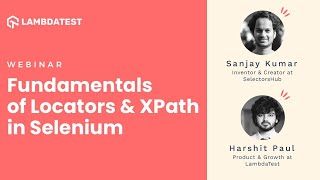
Fundamentals of Locators and XPath in Selenium - LambdaTest Webinar
Learn XPath and Selenium locators for efficient web automation. Explore SelectorsHub tool and LambdaTest cloud platform to enhance your testing capabilities and overcome common challenges.
How to Increase Product Release Velocity by Debugging and Testing - LambdaTest and Ozcode Webinar
Learn strategies to boost product release velocity through effective debugging, testing, and automation, with insights on overcoming roadblocks and implementing best practices for faster development cycles.
Running Effortless Continuous Testing Pipelines With CircleCI and LambdaTest - Webinar
Learn to leverage CircleCI and LambdaTest for efficient continuous testing pipelines, enabling faster go-to-market launches and improved browser testing with cloud Selenium grid integration.

Building a Robust CI-CD Pipeline With GitLab CI - LambdaTest Webinar
Learn to build a robust CI/CD pipeline using GitLab CI and LambdaTest for automated testing. Explore best practices, configuration, and integration with cloud-based Selenium Grid for efficient software delivery.
How to Speed Up Automation Testing Using Oxygen Framework and LambdaTest - LambdaTest Webinar
Discover how to accelerate automation testing using Oxygen framework and LambdaTest. Learn to write Selenium scripts, perform codeless automation, and run tests across multiple browsers efficiently.
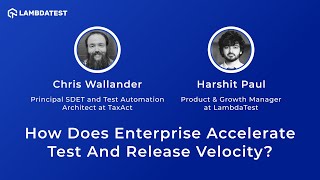
How Does Enterprise Accelerate Test and Release Velocity - LambdaTest Webinar
Discover strategies to accelerate test execution and release velocity in enterprise environments. Learn about automation testing best practices, DevOps tools, and actionable techniques to improve software delivery speed.

How to Handle Windows and Frames in Selenium - Selenium Testing Tutorial
Learn to handle multiple windows and frames in Selenium WebDriver for efficient automation testing. Master techniques for switching between windows, interacting with frames, and managing nested structures.

E-Commerce Testing - E-Commerce Website Automation With Selenium
Learn to automate e-commerce website testing using Selenium Java on LambdaTest. Covers customer segmentation, timezone testing, network simulation, and geolocation testing on a cloud Selenium Grid.
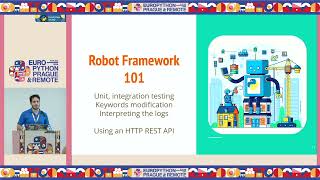
RPA, TDD, and Embedded - A World Glued Together with Python
Explore RPA, TDD, and embedded systems integration using Robot Framework and Python. Learn to maximize testing potential in microcontroller environments through practical examples.
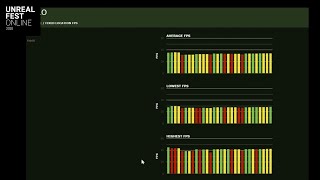
Harnessing the Unreal Engine Automation Framework for Performance Measurement
Explore Dovetail Games' approach to automation in Unreal Engine for performance measurement, covering test writing, data analysis, and scalability for efficient game development.

REST Assured API Testing - How to Test GET, POST, PUT, PATCH, and DELETE
Learn to test REST APIs using REST Assured, covering GET, POST, PUT, PATCH, and DELETE requests. Explore JSON libraries, create requests, verify responses, and understand HTTP status codes.