Audio Interface Setup, I/O Buffer, and Latency in Logic Pro - Part 2
Master the essentials of audio interface setup in Logic Pro, including hardware selection, I/O buffer configuration, latency management, and proper input/output testing for optimal recording performance.
Logic Pro Interface Navigation and Basic Controls - Part 3
Master essential Logic Pro navigation and interface controls, from track management and zoom functions to mixing tools and editor panels - perfect for beginners seeking hands-on software familiarity.
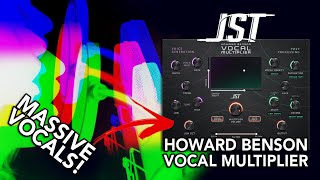
Howard Benson Vocal Multiplier Plugin Review and Demonstration
Explore Howard Benson's Vocal Multiplier plugin features, from voice generation to stereo width controls, with hands-on demonstrations and practical mixing insights.
MIDI Fundamentals and Software Instruments in Logic Pro - Part 8
Master MIDI fundamentals in Logic Pro, from controllers and software instruments to recording techniques, quantization, and musical typing - perfect for beginners exploring digital music production.
Recording Audio with a Microphone in Logic Pro - Part 13
Master essential audio recording techniques in Logic Pro, from configuring buffer sizes and sample rates to managing take folders and overlapping recordings for professional-quality microphone captures.
Electric Guitar Recording and Amp Designer in Logic Pro - Part 16
Master electric guitar recording in Logic Pro with essential techniques for DI setup, amp simulation, effects chains, and professional take management using folders and quick swipe comping.
Recording Electric Bass and Using Bass Amp Designer in Logic Pro - Episode 17
Master bass recording techniques in Logic Pro, from DI signal splitting to Bass Amp Designer configuration and creating dynamic drummer tracks that follow your bass grooves.
Logic Pro: Join per Track, Join, and Bounce In Place Functions - Tutorial 23
Master essential Logic Pro region consolidation techniques using Join per Track, Join, and Bounce in Place functions to streamline your audio workflow and enhance mixing efficiency.
Logic Pro Drag Modes: X-Fade, Region Overlap, and Shuffle Editing - Part 24
Master Logic Pro's drag modes and editing techniques for seamless audio manipulation, including crossfades, region overlapping, and efficient voiceover editing using shuffle modes and shortcuts.
Track Stacks and Bus Processing in Logic Pro - Lesson 29
Master track organization and bus processing in Logic Pro through folder stacks, summing stacks, and instrument layering techniques for enhanced mixing workflow and creative sound design.

Bouncing and Dithering in Logic Pro - Tutorial 33
Master the essential audio bouncing techniques in Logic Pro, from setting ranges and understanding dithering to configuring optimal export settings for professional-quality music production.
Creating Custom Sampler Instruments with Auto Sampler in Logic Pro
Master the art of creating custom Sampler instruments in Logic Pro using Auto Sampler, with step-by-step guidance on programming, envelope settings, and loop zones for professional-quality results.
Free Tempo Recording in Logic Pro - Tutorial 39
Master free tempo recording techniques in Logic Pro, from creating tempo maps and conforming MIDI to handling audio recordings and understanding average tempo calculations.
Capture Recording in Logic Pro - Tutorial 40
Master Logic Pro's Capture Recording feature to record MIDI performances in various modes, including stop, playback, and cycle recording, enhancing your music production workflow.

Customizing Drum Machine Designer in Logic Pro - Part 47
Master Drum Machine Designer in Logic Pro with hands-on techniques for loading kits, customizing sounds, swapping pieces, and integrating custom samples for enhanced beat production.
Creating Rhythmic Patterns with Note Repeater MIDI FX in Logic Pro - Tutorial 57
Master the Note Repeater MIDI FX plugin in Logic Pro to create dynamic rhythmic patterns, syncopated bass lines, and complex arpeggiated sequences for enhanced music production.
Using External Instruments and Synthesizers in Logic Pro - Part 66
Master the External Instrument plugin in Logic Pro to seamlessly integrate hardware synthesizers, route MIDI signals, and manage audio routing for a hybrid hardware-software workflow.
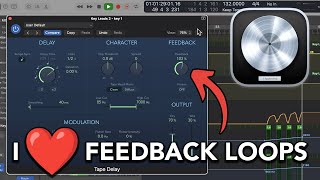
Creating Delay Feedback Loops in Logic Pro - A Guide to Tape Delay Effects
Master creative delay feedback loop techniques in Logic Pro's Tape Delay for producing unique electronic music effects through hands-on demonstrations and practical automation tips.
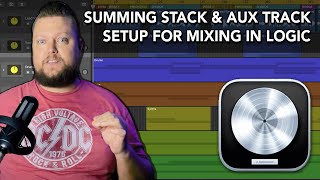
Summing Stack and Auxiliary Track Mixing Setup in Logic Pro
Master advanced mixing techniques in Logic Pro using summing stacks and aux tracks, from vocal processing to nested stacks and stem mixing workflows.
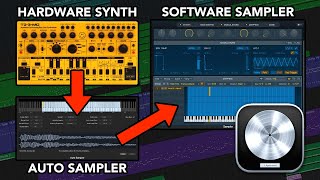
Converting Hardware Synthesizers to Software Using Auto Sampler in Logic Pro
Master the process of converting MIDI hardware synthesizer patches into sampler instruments using Logic Pro's Auto Sampler feature, with step-by-step guidance on setup and implementation.
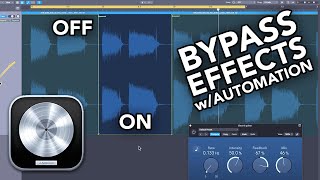
5 Methods to Bypass Effects with Automation in Logic Pro
Master five powerful methods for bypassing effects through automation in Logic Pro, enhancing your mixing capabilities and creative control over audio processing.