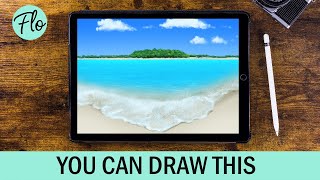
Beach Landscape Drawing in Procreate - Easy Tutorial
Learn to paint a beach landscape in Procreate with easy-to-follow steps. Master techniques like clipping masks, layer masks, and gaussian blur using free brushes included in the app.
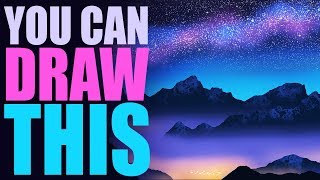
You Can Draw This Landscape in Procreate - Easy Landscape Drawing Tutorial
Learn to create a starry night landscape in Procreate with step-by-step guidance. Master techniques like Gaussian blur, layer clipping masks, and blending modes using free brushes included in the app.
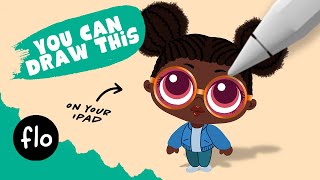
You Can Draw This Cool Girl in Procreate
Step-by-step tutorial for beginners to draw a cool girl in Procreate, featuring symmetry tool, gaussian blur, and transform techniques. Includes a free hair brush and color palette.
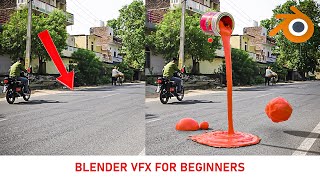
Your First VFX Using Blender - Blender Tutorial for Beginners
Learn to create your first VFX using Blender, from shooting footage to 3D tracking, paint simulation, modeling, texturing, and compositing. Master essential techniques for realistic visual effects.
AI Generation That Looks Like a Real Photo - But What Else Can It Do?
Explore Adobe Firefly's AI capabilities for creative workflows, including realistic photo generation and integration with Adobe products. Learn its potential impact on digital content creation.

How to Use Blend If Creatively in Photoshop Tutorial
Learn creative Blend If techniques in Photoshop to combine images into a stunning composite. Master selections, masking, dodging, burning, and color grading for professional-looking results.

How to Remove a Background in Photoshop Tutorial 2022
Learn essential techniques for removing backgrounds in Photoshop, including one-click removal, lasso tool tricks, select and mask workspace, and advanced methods like pen and channel selections.

How to Remove Background in Photoshop Tutorial - And Add Grain, Shadow, and More
Learn advanced Photoshop techniques for background removal, adding grain and shadows, using curve presets, and more. Enhance your image editing skills with professional tips and tricks.

How to Create a Dune-Style Poster in Photoshop - With the Fremen Eyes
Learn to recreate Dune's iconic character poster, mastering eye color change, skin retouching, and advanced Photoshop techniques like frequency separation and blending options in this comprehensive tutorial.

The Orb Photoshop Composite Tutorial
Learn to create a sci-fi photo composite featuring a floating orb, including background replacement, sphere creation, lighting effects, atmosphere addition, and color grading techniques in Photoshop.

How to Create Atmosphere in Photoshop
Learn to enhance images with mood and drama using Photoshop techniques for fog, dust, rain, and color grading. Master atmosphere creation to elevate your photo editing skills.
Creating an Eclipse Composite in Photoshop
Learn to create a stunning eclipse composite using Photoshop techniques like noise gradient, Gaussian blur, and color correction for realistic flares and hotspots.

How to Use Generative Fill in Photoshop
Learn to use Photoshop's new Generative Fill AI tool for removing objects, replacing elements, and creating compositions. Explore practical applications and compare AI-generated results with artist creations.

Replacing Headshot Backgrounds with AI Background Replacement - Generative Fill Photoshop Beta
Learn to replace headshot backgrounds using Photoshop Beta's AI Generative Fill tool. Explore this powerful feature for quick and easy background swaps in portrait photography.

How to Use Photoshop's AI - Generative Fill
Learn to transform designs quickly using Photoshop's new AI-powered Generative Fill tool. Discover how to create intricate details, replace elements, and enhance your creative workflow effortlessly.
How to Extend Background in Photoshop Using Generative Fill and Outcropping
Learn to extend backgrounds in Photoshop using AI-powered Generative Fill and Outcropping. Master inpainting, object removal, and backdrop extension techniques to enhance your image editing skills.
Photoshop's Amazing New AI Generative Fill
Explore Photoshop's revolutionary Generative Fill feature for adding, removing, or altering content with AI. Learn practical tips and techniques to enhance your photo editing workflow.

Generative Fill in Photoshop - Your Ultimate Guide to This Game-Changing AI Tool
Explore Photoshop's revolutionary Generative Fill tool for seamless object removal, image extension, and realistic background generation. Master AI-powered design techniques to transform your creative workflow.
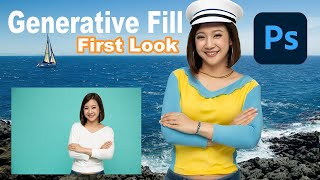
Embrace the Future - Discover Photoshop Beta's Groundbreaking Generative Fill Feature
Explore PHOTOSHOP Beta's revolutionary Generative Fill feature, a mind-blowing AI-powered tool that transforms image editing with unprecedented ease and creativity.
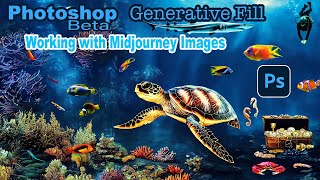
Photoshop Beta Generative Fill - Working With Midjourney Images
Explore PHOTOSHOP Beta's GENERATIVE Fill to enhance Midjourney images. Learn resolution maximization, creative augmentation, and techniques applicable to photographs for improved visual storytelling.
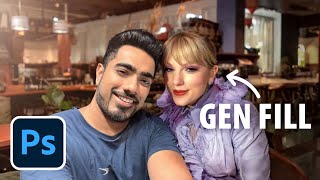
Photoshop Generative Fill - Epic Uses, Superfast
Discover 20 innovative uses of Photoshop's Generative Fill, from expanding images and removing distractions to creating impossible scenarios, in this comprehensive guide to AI-powered photo editing.