How to Create Art with AI in Just 5 Minutes
Explore AI art generation: learn techniques, tools, and applications. Discover new creative possibilities and potential markets for AI-generated artwork.
Misconceptions About AI Generated Art
Debunking common misconceptions about AI-generated art, exploring its creative potential, technical aspects, and ethical considerations for artists and enthusiasts.
Add 3D Text to Your Footage with Blender - VFX Tutorial
Step-by-step tutorial on integrating 3D text into video footage using Blender, covering motion tracking, scene setup, text creation, lighting, and compositing for realistic VFX results.
Create Looping VFX Animation with Blender
Learn to create seamless looping VFX animations in Blender. Master techniques for footage preparation, 3D reconstruction, particle systems, shading, and compositing to produce professional-quality visual effects.
Cinematic Photo Editing in Lightroom Classic and Photoshop - Part 1
Learn cinematic photo editing techniques in Lightroom and Photoshop with photographer Idara Ekpoh. Master color grading, dodging and burning, selective adjustments, and creative effects to elevate your images.
Organizing and Finding Your Photos Fast - Adobe Lightroom Photography Masterclass
Master efficient photo organization and retrieval in Adobe Lightroom with expert Terry White. Learn metadata, keywords, collections, facial recognition, and advanced search techniques for seamless image management.
Designing Movie Posters in Photoshop - Part 2
Learn advanced Photoshop techniques for creating unique movie posters, including background removal, custom brush design, and integrating multiple images into a cohesive design. Real-time feedback incorporated.
New Features in Adobe Photoshop - Workflow Enhancements and Neural Filters
Explore Photoshop's latest features with photographer Anna McNaught, including neural filters, landscape mixers, and advanced selection tools to enhance your creative workflow and photo editing capabilities.
Photo Restoration Techniques for Photographers - Photography Masterclass
Learn advanced photo restoration techniques, from healing and masking to colorizing and retouching heavily damaged images, in this comprehensive masterclass by Terry White.
Color Grading Techniques in Adobe Lightroom
Master color grading in Adobe Lightroom with expert techniques for creating signature styles and trendy aesthetics. Learn professional editing tools, AI masks, and subtle color adjustments to elevate your photo editing skills.

Amazing Photoshop Masking Secrets, Tips, and Tricks
Discover 10 advanced Photoshop masking techniques to enhance your image editing skills, including AI-powered background removal, custom brush creation, and efficient layer mask shortcuts.

Recreate The Flash Running Lightning in Photoshop - Copycat
Learn to recreate The Flash's running lightning effect using Photoshop and After Effects. Master background removal, blurring techniques, and three methods for creating and compositing realistic lightning.
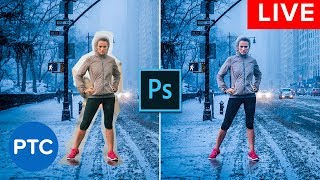
Photoshop Compositing Secrets - Blend Images Together Like a Pro - Live Presentation
Learn advanced Photoshop compositing techniques, including perspective matching, masking, color matching, blending modes, and creating cohesive images. Master the art of seamlessly blending multiple photos together.
Lightroom CC for Beginners - Lightroom CC 2018 Tutorials
Comprehensive tutorial on Lightroom CC, covering importing, interface, editing tools, and exporting. Learn to enhance photos using various panels and features for optimal results.
Make Videos With AI in Minutes - ChatGPT, Midjourney, InVideo
Learn to create engaging YouTube videos using AI tools like ChatGPT, Midjourney, and InVideo. Discover techniques for generating ideas, improving content, conducting keyword research, and editing without showing your face.
Adobe MAX Sneaks - Future Technologies in Adobe Research
Explore potential future Adobe technologies with demos by engineers, co-hosted by Chelsea Handler and Paul Trani. Discover innovative features that may shape upcoming Adobe products.
Photography Masterclass - How to Edit User-Submitted Photos
Expert photographer Terry White demonstrates editing techniques on user-submitted photos, sharing his workflow and thought process to help improve your photo editing skills.
Freestyle Vector Art Techniques with Orlando Arocena - Part 2
Explore vector freestyle with Orlando Arocena: evolve abstract doodles into familiar images using Illustrator tools. Learn gradient techniques, vector brushes, and professional insights on creativity and client management.
Photoshop Masterclass: Photo Manipulation Techniques
Learn advanced Photoshop techniques for photo manipulation, including color adjustments, distortion tools, image blending, and creating collages. Master essential skills to transform and combine images creatively.
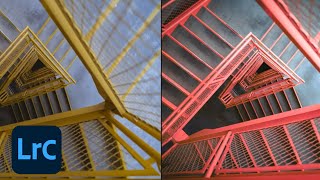
Lightroom Workflows for Abstract Architecture Photography - Part 2
Explore advanced Lightroom techniques for abstract architecture photography with Tobi Shinobi. Learn pre-production strategies, local adjustments, curves, and pro tips to enhance your editing workflow and creative vision.
Photography Masterclass: Photoshop for Lightroom Users
Learn to enhance your photo editing skills with Photoshop techniques tailored for Lightroom users. Discover when to use Photoshop, prepare images for social media, and add text to your photos.