Loading Animation, Metaballs and 2D Arrays in JS
Explore loading animations, metaballs, and multi-dimensional arrays in JavaScript with hands-on coding examples and in-depth explanations for creative programming projects.
Sound Synthesis, Envelope and Supershapes
Explore sound synthesis, envelopes, and supershapes in p5.js. Learn to create unique audio-visual experiences through hands-on coding demonstrations and practical examples.
CSS in 1 Hour for Beginners
Learn CSS basics in 1 hour: fonts, borders, backgrounds, margins, positioning, pseudo-classes, shadows, icons, transformations, and animations for beginners.
How to Edit Videos with Filmora 11 - Beginners Class
Comprehensive tutorial on Filmora 11 video editing, covering importing, trimming, effects, transitions, audio adjustments, and exporting for beginners creating YouTube content.
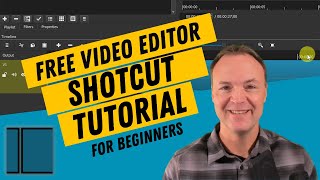
How to Use Shotcut - Video Editor with No Watermark
Learn to edit videos with Shotcut, a free software without watermarks. Master importing media, timeline editing, transitions, filters, audio manipulation, and exporting your finished project.
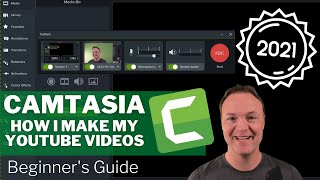
How to Use Camtasia - Tips and Tricks - Beginner's Guide 2021
Learn Camtasia 2021 for beginners: screen recording, editing, effects, and exporting. Master essential features to create professional instructional videos for YouTube or teaching.
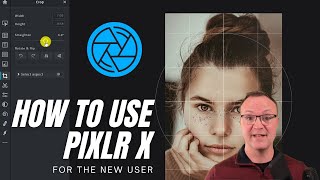
How to Use Pixlr X - Easy Graphic Design
Learn to edit photos and create graphics with Pixlr X, a free online tool. Master essential features like layers, text, shapes, retouching, and background removal for stunning visual content.
IMovie for Beginners - Detailed Tutorial
Comprehensive tutorial on using iMovie: importing media, editing clips, adding transitions, titles, and effects, adjusting audio, and exporting finished videos on Mac.
How to Use Filmora X - Beginner's Video Editing Guide
Comprehensive guide to Filmora X video editing, covering importing, timeline editing, audio manipulation, transitions, effects, and exporting for beginners.
Krita Beginners Tutorial - Photoshop Alternative
Learn digital painting and photo editing with Krita 4.2, a free open-source alternative to Photoshop. Master essential tools, create YouTube thumbnails, and explore basic photo editing techniques.
Hitfilm Express Tutorial - Designed for Beginners
Learn to use HitFilm Express 12, a powerful free video editor. This comprehensive tutorial covers project setup, media management, editing techniques, effects, transitions, and exporting for beginners.
VSDC Video Editor Tutorial 2018
Comprehensive tutorial on VSDC Video Editor, covering essential features like importing, trimming, effects, and exporting for beginners seeking a free video editing solution.

Microsoft PowerPoint Tutorial - Beginners Level 1
Learn essential PowerPoint skills: creating slides, adding text and images, customizing designs, applying animations, and presenting effectively. Master the basics to create impressive presentations.
DaVinci Resolve 15 Tutorial - Designed for Beginners
Learn professional video editing with DaVinci Resolve 15: project setup, media import, timeline editing, transitions, text insertion, and exporting. Master essential tools and techniques for creating polished videos.
OpenShot Video Editor Tutorial - Designed for Beginners
Comprehensive guide to OpenShot video editor, covering essential features from importing media to exporting projects. Perfect for beginners seeking to master free video editing software.
Lightworks Tutorial - Designed for Beginners
Comprehensive tutorial on Lightworks 14, covering project creation, editing, effects, text, transitions, audio adjustments, and exporting for beginners to create professional videos.
Photoshop CC Tutorial - Designed for Beginners
Comprehensive introduction to Photoshop CC's essential tools and features. Learn image editing techniques, from basic adjustments to advanced manipulations, enhancing your digital design skills.

DaVinci Resolve Tutorial - Designed for Beginners
Comprehensive guide to DaVinci Resolve 14: Learn project setup, media import, editing techniques, transitions, text insertion, special effects, and exporting for professional video creation.
HitFilm Express 4 Tutorial 2018
Learn to edit videos with HitFilm Express 4, covering project setup, media management, trimming, transitions, audio editing, text overlay, special effects, green screen, and exporting in this comprehensive tutorial.
WeVideo - Detailed Tutorial
Comprehensive guide to WeVideo's online editing tools, covering uploading, basic editing, effects, text, audio, graphics, themes, and advanced features like green screen for all skill levels.
Angular Material Tutorial
Learn to create modern, beautiful Angular applications using Material Design components like checkboxes, radio buttons, selects, and inputs in this comprehensive tutorial.