
Twirl Effect - Affinity Photo Tutorial
Learn advanced techniques for creating stunning twirl effects in Affinity Photo, including secret tricks to enhance colors, smooth transitions, and achieve eye-catching results for various image types.

Realistic Grain - Noise Effect Techniques - Affinity Photo Tutorial
Learn three realistic techniques for adding grain and noise effects in Affinity Photo, including customizable methods for adjusting grain size and creating luminosity-sensitive noise using blend ranges.
Why You Are Bad at Photo Editing - Affinity Photo Tutorial
Discover why photo editing challenges you and learn to rethink your approach. Gain insights on storytelling, color harmony, composition, and equipment to elevate your photo artistry skills.

Slice Fruit in Affinity Photo - Tutorial
Learn to digitally slice fruit and create floating effects in Affinity Photo for eye-catching ads, designs, and photo composites using simple techniques.

Creative Text Effect - Affinity Photo Beginner Tutorial - 3D Look
Learn to create a striking 3D text effect using Affinity Photo's Liquify Person tool and layer masks. Perfect for beginners seeking to enhance their graphic design skills.

Photo Mistakes Beginners Make
Discover common photography pitfalls and learn essential techniques to elevate your skills, from composition and lighting to timing and color matching.

Selection Tool Tricks You Need to Know - Affinity Photo Beginner Tutorial
Master essential selection techniques in Affinity Photo, from basic shapes to advanced refinements. Enhance your photo editing skills with time-saving tricks for precise and efficient selections.
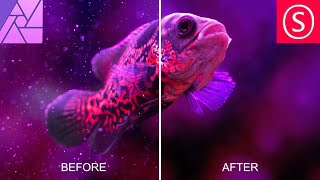
Remove Dust & Specks - Affinity Photo Tutorial
Learn effective techniques to remove dust and specks from photos using Affinity Photo, including filters, masks, and noise addition for a clean, professional result.

Powerful Ways to Brighten Up Shadows - Affinity Photo Tutorial
Discover three powerful techniques to enhance shadow details in Affinity Photo, including custom luminance masks, blend ranges, and dodge and burn tools for precise photo editing.

Take Photos Like a Pro - PhotoPills Review
Comprehensive review of PhotoPills app, showcasing its features for advanced photography planning, from hyperfocal length to star trails, suitable for various camera types.

Sunset Magic - Gradients for Affinity Photo
Learn techniques to enhance sunset photos using Affinity Photo, including color adjustments, gradient application, and emotional fine-tuning for stunning, evocative results.

Phone Popout Effect - Affinity Photo Tutorial
Create a convincing 3D phone popout effect in Affinity Photo for eye-catching social media posts with this step-by-step tutorial on photo manipulation techniques.

How Macros Work for Affinity Photo
Learn to create and use macros in Affinity Photo to automate tasks, enhance workflows, and save time. Includes free macro pack and step-by-step tutorial for beginners and advanced users.

Pen Tool Explained - Affinity Photo Tutorial
Master the Pen Tool in Affinity Photo: Learn to create curves, shapes, selections, gradients, and glow effects. Discover versatile applications beyond illustration and vector graphics.
Affinity Photo - Beginner's Basic Tutorial - How to Get Started
Learn Affinity Photo basics: adjustment layers, filters, masks, layers, pixels vs. vectors, image sizing for print/screen. Essential knowledge for beginners in an easy-to-follow format.

Sony FE 24-70 F2.8 GM II Lens Review
Comprehensive review of Sony FE 24-70 F2.8 GM II lens, comparing it to its predecessor. Covers technical specs, real-world performance, and diverse shooting scenarios for photographers.

Sony Alpha Menus A to Z - Movie Settings for the A7IV
Comprehensive guide to optimizing movie settings on Sony Alpha A7IV camera, covering key features like frame rates, focus modes, and customization options for enhanced video capture.
Adobe Illustrator CC Tutorial - Creating a Recycling Logo
Learn to create a precise recycling logo in Adobe Illustrator CC while mastering essential tools and techniques for document setup, shape creation, layering, and precise art manipulation.

The ABCs of SSL – Mixing with Waves SSL EV2
Comprehensive tutorial on using SSL EV2 for mixing various instruments, covering EQ, dynamics, and stereo imaging techniques for professional-quality results.

Music Production - The Creative Process with Malay
Grammy-winning producer Malay shares his creative workflow, from developing ideas to crafting unique sounds. Learn techniques for melodies, vocals, and production to bring an artist's vision to life with authenticity and innovation.

Song, 2 Mixes - How Mixing Can Transform a Song
Grammy-winning producer Scott Jacoby demonstrates transforming a song through two distinct mixing approaches: vintage rock and radio-friendly pop/hip hop, showcasing the power of mixing in shaping musical styles.