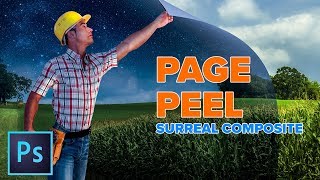
Enhanced Page Curl Photoshop Tutorial - Surreal Composite
Create a surreal composite in Photoshop: learn to combine images, transform day to night, and craft a dynamic page curl effect for a man peeling back reality.

Frequency Separation - Smooth Skin in Photoshop
Learn the high-end retouching technique of Frequency Separation for achieving silky smooth skin in Photoshop. This easy-to-follow guide covers setup, color detailing, retouching, and masking.
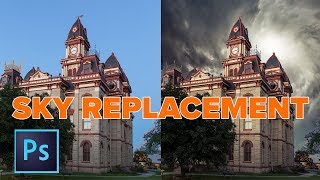
Sky Replacement in Photoshop - Add Clouds to Your Photo
Master sky replacement in Photoshop without selections. Learn to blend colors, add dynamic clouds, and enhance your photos with easy techniques for stunning results.
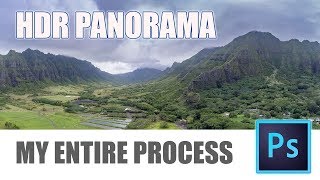
How to Make HDR Panorama Photos - Full Workflow from Shoot to Photoshop
Comprehensive guide to creating stunning HDR panoramas using Photoshop ACR or Lightroom Classic, covering shooting techniques with any camera or drone and the full editing workflow.
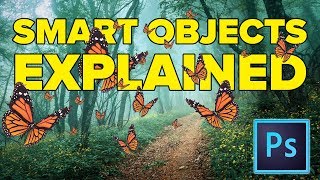
Photoshop Smart Objects Explained Using 7 Hot Tips
Discover 7 powerful Smart Object tips in Photoshop, from scaling and filtering to nested objects, enhancing your workflow and image editing capabilities.
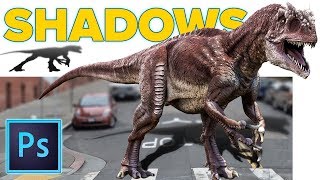
Realistic Cast Shadows in Photoshop - Composite Jurassic World Dinosaur
Learn to create realistic cast shadows in Photoshop for compositing, focusing on a Jurassic World dinosaur example. Master the four qualities of light for authentic shadow effects in image combinations.
How to Make YouTube Channel Art in Photoshop - 2018
Learn to create eye-catching YouTube channel art using Photoshop. Master template usage, image selection, background filling, color choices, and typography for professional-looking headers that fit all layouts.

Extract Glass and Smoke - Transparent Selections in Photoshop
Learn to select and mask semi-transparent objects like glass and smoke in Photoshop, creating clean, see-through results with step-by-step guidance on selection techniques and masking.
How to Make Animated Snow in Photoshop Overlay for Photos or Video
Learn to create and animate realistic 3D snow in Photoshop for photos and videos. Master techniques for depth, varying speeds, and seamless overlays in this comprehensive tutorial.
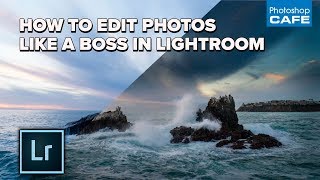
How to Edit Photos Like a Boss in Lightroom - My Full Workflow
Learn a professional's complete Lightroom photo editing workflow, from basic adjustments to advanced techniques for stunning results.
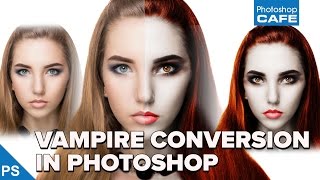
How to Turn a Person into a Vampire in Photoshop Tutorial
Learn to transform a portrait into a realistic vampire using Photoshop techniques. Master skin alteration, facial features adjustment, and eerie eye effects for a chilling supernatural look.

Create a Magazine Layout Template in Photoshop
Learn to design a reusable magazine layout template in Photoshop, including guides, subheads, placeholder text, and image insertion techniques. Download the free template for practice.
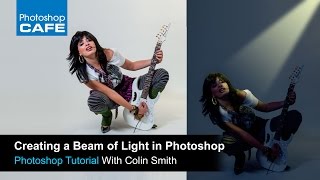
How to Make a Spotlight in Photoshop Tutorial
Learn to create dramatic lighting effects, transform day to night, and illuminate subjects using layer masks and adjustment layers in Photoshop.
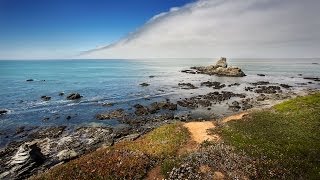
Processing a Landscape HDR Photo with Adobe Camera Raw
Master realistic HDR processing in Adobe Camera Raw or Lightroom with this landscape photo tutorial, enhancing your skills in creating stunning, high-dynamic-range images.
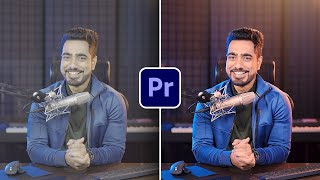
Color Grading in Premiere Pro 2023
Learn advanced color grading techniques in Premiere Pro 2023 using the "Levels" approach. Master skin tones, lighting, and overall color enhancement for talking head videos with precise HSL slider control.

Batch Retouch 1000+ Photos in 1 Click - Photoshop & AI
Learn to create a Photoshop system for batch-retouching thousands of portraits automatically. Covers blemish removal, dodging, burning, contouring, eye enhancement, and backdrop cleanup using AI plugins and custom actions.

Blend Subject and Reflections Using Blend Modes in Photoshop
Master Photoshop blend modes to seamlessly integrate subjects and reflections with backgrounds. Learn selection techniques, color matching, and light adjustment for realistic composites.
Craziest Photoshop Questions with Matt Kloskowski
Expert Matt Kloskowski addresses challenging Photoshop topics, including fixing blurry photos, logo design, and ethical considerations, offering valuable insights for digital artists and photographers.
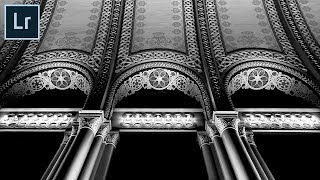
How to Create Impactful Black and Whites in Lightroom
Master dramatic black and white conversions in Lightroom using local adjustments, reshaping light, and enhancing details. Learn to use adjustment brushes and graduated filters for impactful monochrome images.

How to Remove Large Objects in Photoshop
Learn advanced techniques for seamlessly removing large objects from images using Content-Aware Fill, Cloning, Healing, and color correction in Photoshop. Master professional photo editing skills.
The Amazing Power of Liquify for Portrait Retouching in Photoshop
Master Photoshop's Liquify tool for portrait retouching. Learn basic and advanced techniques, including Face-Aware Liquify, through practical examples and expert tips for professional results.