MoGraph - Make This Scraper Roll-Up Animation
Create a captivating roll-up animation in Blender 2.83 with step-by-step guidance. Learn techniques for curves, physics, and lighting to enhance your motion graphics portfolio.
MoGraph Tutorial - Color Cannon in Blender
Learn to create a vibrant color cannon effect in Blender 2.83 Alpha, covering setup, materials, and rendering techniques for eye-catching motion graphics.
Blender - Bowling Pins and Physics - Fun Tutorial
Create a looping bowling pin rigid body simulation in Blender using physics and animation techniques, with a clever trick for seamless repetition.

Create High-Impact Typography Effects in Adobe InDesign
Learn to create five striking typography effects in Adobe InDesign, including text-inside-text, color-block, and trendy path-based designs. Master drop caps and text rotation for impactful layouts.

DaVinci Resolve 18 Tutorial - Beginners' Quick-Start Guide
Comprehensive guide for DaVinci Resolve 18 beginners: learn project setup, video editing, basic color grading, and exporting in under 30 minutes. Perfect for quick start in video editing.
How to Make a Booklet in InDesign
Learn to create professional booklets in InDesign: set up guides, design covers and spreads, and prepare for printing. Master essential tools for cohesive and effective publication design.
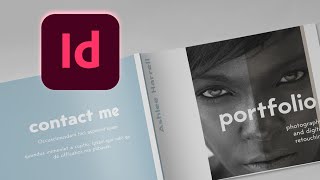
How to Make a Portfolio Brochure Template in InDesign
Learn to create a stunning portfolio brochure in InDesign. Master document setup, image placement, typography, and exporting for print to showcase your work professionally.
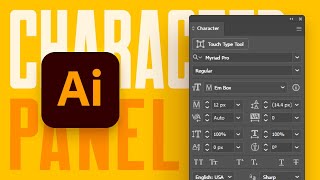
A Beginner's Guide to the Character Panel in Illustrator
Comprehensive tutorial on Illustrator's Character panel, covering fonts, text styling, OpenType features, and advanced typographic controls for enhanced design capabilities.
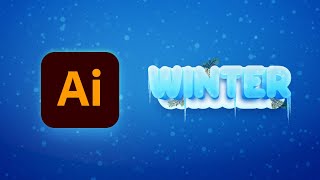
How to Create a Winter Text Effect in Illustrator
Master Adobe Illustrator techniques to create stunning winter text effects with 3D ice, snow, icicles, and fir branches in this step-by-step tutorial.
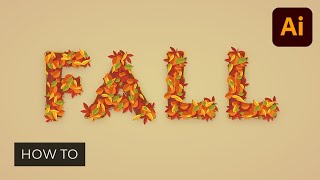
How to Create a Fall Text Effect in Illustrator
Learn to create a stunning fall text effect in Adobe Illustrator by designing leaf brushes and utilizing the Appearance panel. Master techniques for crafting unique, editable designs perfect for autumn-themed projects.
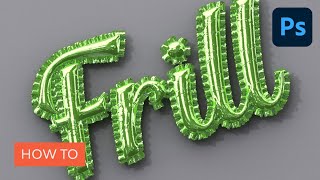
How to Create an Inflated 3D Frilly Text Effect in Adobe Photoshop
Learn to create a shiny, inflated 3D frilly text effect in Photoshop using pattern fills, 3D tools, and adjustment layers. Master techniques for realistic textures and lighting in this comprehensive tutorial.
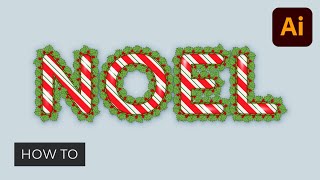
How to Use Outline Stroke in Illustrator
Learn to create decorative borders, masks, and shadows using outline stroke in Illustrator. Master pattern and scatter brushes to design a winter holiday text effect with colorful lines, stylized text, and subtle highlights.
Photoshop Text Effects - Top 6 Tutorial
Learn to create six stunning text effects using Photoshop layer styles, including glass, metal, neon, chrome, retro, and glitter. Master powerful techniques to enhance your design projects.
Movie Poster Design in Adobe Photoshop
Learn to create compelling movie posters in Photoshop. Master dimensions, composition, color grading, typography, and storytelling techniques to design eye-catching posters that capture the essence of films.
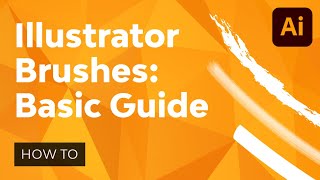
Illustrator's Paintbrush Tool and Brush Panel - A Comprehensive Guide to Brushes in Illustrator
Comprehensive guide to Illustrator's Paintbrush Tool and Brush Panel, covering various brush types, their applications, and how to create, manage, and work with them for enhanced vector artwork and productivity.

Creating a Figma Design System - Typography, Spacing, and Sizing
Learn to develop typography, sizing, and spacing sections for a Figma design system, gaining practical skills to implement your own effective and consistent visual framework.
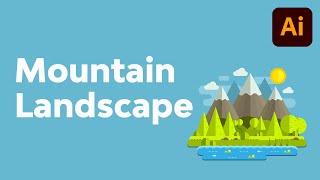
How to Create a Mountain Landscape in Flat Style in Adobe Illustrator
Master flat design techniques in Adobe Illustrator to create stunning mountain landscapes using basic shapes and tools. Learn to craft meadows, shorelines, hills, and add depth to your illustrations.

How to Create an Editable Pie Chart in Adobe Illustrator
Master editable pie charts in Adobe Illustrator: create, stylize, and customize with the Pie Graph Tool, Direct Selection Tool, and Appearance panel. Learn to add legends and backgrounds for professional infographics.
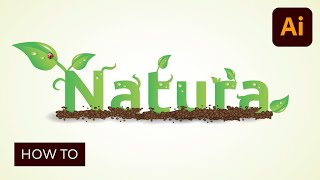
Creating an Environmentally Friendly Green Type Treatment
Learn to create eco-friendly green type treatments in Illustrator. Master techniques for designing leaves, stems, insects, and nature-inspired elements to enhance your logos and graphic designs.
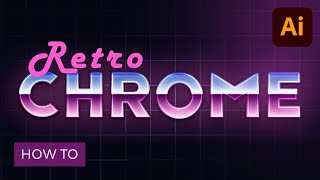
How to Create a Retro Chrome Text Effect in Adobe Illustrator
Master retro chrome text effects in Adobe Illustrator. Learn grid creation, blending techniques, and Appearance panel usage to craft editable designs with subtle textures, enhancing your graphic skills.
Illustrator's Pen Tool - The Comprehensive Guide
Master Adobe Illustrator's Pen Tool with this comprehensive guide covering functions, shortcuts, controls, preferences, and best practices. Enhance your vector design skills and workflow efficiency.