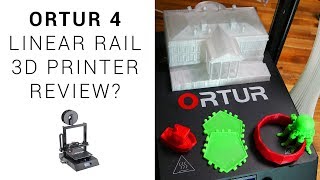
Ortur 4 Linear Rail 3D Printer Review - UPDATED
Comprehensive review of Ortur 4 3D printer, highlighting features, print quality, and addressing critical issues. Offers insights for potential buyers and existing users.
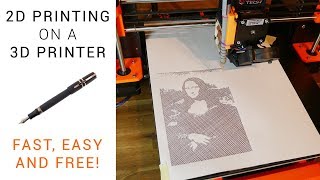
2D Printing on a 3D Printer - Free and Easy Guide
Transform your 3D printer into a 2D plotter with this easy guide. Learn to use Inkscape plugins, create G-code, and set up your printer for smooth 2D printing on various surfaces.

Beginner Ender 3 Fixes - Featuring Manual Mesh Bed Leveling Guide
Comprehensive guide for Ender 3 beginners: fixing common issues, manual mesh bed leveling, and essential tips for successful 3D printing. Packed with practical solutions and expert advice.
Ender 3 BLtouch Vanilla Marlin Guide
Step-by-step guide for installing BLtouch auto bed leveling on Ender 3 3D printers using vanilla Marlin firmware. Covers hardware installation, wiring, firmware configuration, and flashing process.
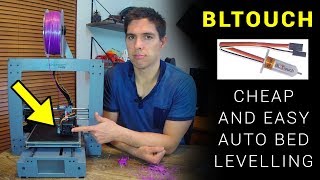
BLtouch - How to Add Cheap and Easy Auto Mesh Bed Levelling
Learn to install and use BLtouch for auto mesh bed leveling on 3D printers, improving first layer adhesion and print quality with step-by-step guidance and practical tips.
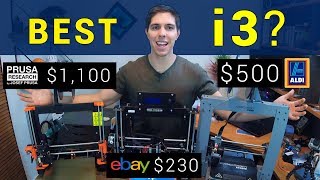
I3 Comparison - Prusa I3 MK3 vs Cocoon Create Touch vs CTC I3 Pro B
Comprehensive comparison of three 3D printers: Prusa i3 MK3, Cocoon Create Touch, and CTC i3 Pro B. Evaluates buying experience, support, assembly, components, print quality, capabilities, safety, and modding potential.

Blockscad - How to 3D Model and Make Maths Art Using Coding
Learn to create 3D models and mathematical art using Blockscad's drag-and-drop coding interface. Design practical objects and stunning visual pieces while exploring loops and geometric principles.
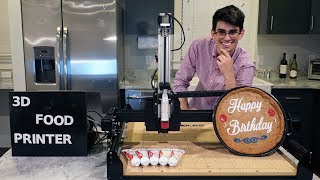
3D Food Printer Build
Learn to build a custom 3D food printer using a syringe pump, X-Carve frame, and high-power stepper drivers. Explore the challenges and solutions for printing edible frosting with large-scale precision.
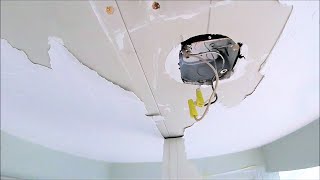
Drywall Ceiling Repair - Step by Step
Step-by-step guide to repairing severely damaged drywall ceilings, covering scraping, taping, skim coating, texturing, and painting. Learn professional techniques for achieving a flawless finish.
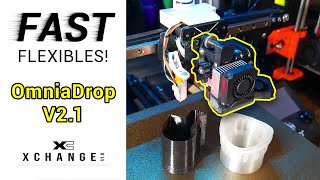
OmniaDrop Extruder on XChange - Fast TPU and More
Explore the OmniaDrop V2.1 extruder's capabilities for fast TPU printing and versatile filament use. Learn about installation, calibration, and performance comparison with other extruders on the XChange system.
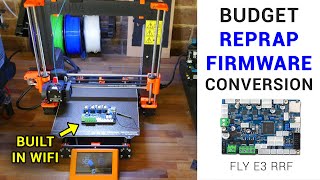
Converting a Prusa to Duet RepRap Firmware With a Fly E3 Board - Step by Step Guide
Step-by-step guide to upgrade a Prusa 3D printer with a Fly E3 board, enabling WiFi and modern features. Covers hardware installation, firmware configuration, and troubleshooting for enhanced printing capabilities.
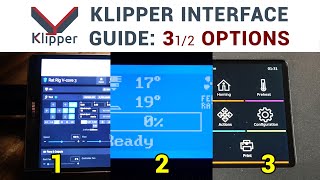
Klipper Interfaces - Step by Step Guide to 3.5 Options
Explore 3.5 Klipper interface options: headless, recycled devices, LCD with click knob, and touch TFT. Step-by-step guide covers setup, customization, and mounting for enhanced 3D printer control.
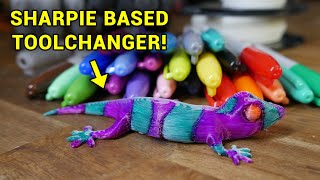
Smart Multi-Colour 3D Printing Using Only Sharpies and Printed Parts
Explore multi-color 3D printing using Sharpies and printed parts. Learn to create vibrant designs with up to seven colors without firmware changes or additional electronics. Perfect for beginners and experienced makers alike.
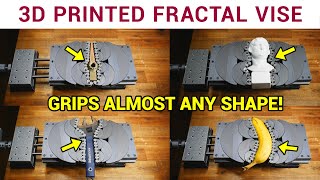
3D Printed Fractal Vise - The Coolest Tool You Didn't Know You Needed
Learn to design, 3D print, and assemble a fractal vise - a versatile tool that can clamp objects of various shapes. Explore the concept, design process, printing tips, and assembly techniques.

The Fantastic BIQU H2 Extruder-Hot End
Comprehensive review of BIQU H2 extruder/hot end, covering specs, assembly, mounting, cooling, setup, calibration, reliability issues, and print results. Compares with competitors and offers practical insights.
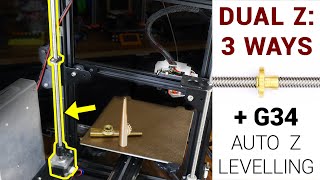
Ways to Add a Dual Z Axis - Including G34 Auto Z Levelling
Explore three methods to add a dual Z-axis to an Ender 3 printer: mechanical belt-driven, parallel stepper motor, and G34 auto-leveling. Learn installation, alignment, and firmware modifications for improved print quality.
Rat Rig V-Core 3 - Kinematic Bed and EVA Carriage System
Detailed assembly guide for Rat Rig V-core 3 3D printer, covering kinematic bed, EVA carriage system, and spool holder. Includes explanations of key components and optional modifications.
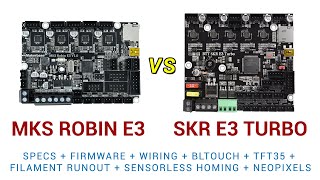
MKS Robin E3 vs BTT SKR E3 Turbo - Complete Mainboard Upgrade Guide
Comprehensive guide comparing MKS Robin E3 and BTT SKR E3 Turbo mainboards for 3D printers. Covers specifications, installation, firmware, BLtouch, filament runout, sensorless homing, and Neopixels with practical demonstrations.
3D Printer Troubleshooting - Step by Step Help Website
Comprehensive guide for diagnosing and fixing 3D printer issues, covering hardware checks, software troubleshooting, and common problems like filament jams and sensor malfunctions.

Revopoint POP - Out 3D Scanning Its Competitors
Comprehensive review of Revopoint POP 3D scanner, comparing its performance, ease of use, and value to competitors. Includes practical tests in various scenarios and helpful insights for potential users.
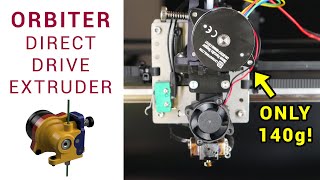
Orbiter - Super Light Weight Direct Drive Extruder on Seckit SK-GO
Explore the Orbiter, a lightweight direct drive extruder for 3D printers. Learn about its design, installation, and performance on the Seckit SK-GO, with insights on assembly and firmware settings.