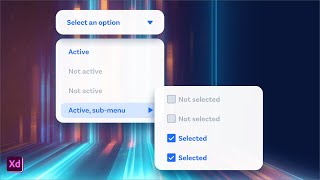
Multi-Level Nested Dropdown Menus in Adobe XD
Learn to design and prototype multi-level dropdown menus using nested Component States in Adobe XD, enhancing your UI design skills and streamlining your workflow.
Adobe Fuse and Photoshop Integration - 3D Character Creation and Animation
Explore Adobe Fuse and Photoshop CC integration: customize 3D characters, texture, pose, animate, and composite. Learn to create and manipulate 3D models for graphic design projects.
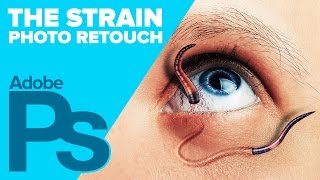
Creating The STRAIN Photo Retouch Effect in Photoshop
Learn to create a striking photo effect inspired by "The Strain" poster using Photoshop techniques like Puppet Warp, Layer Styles, and Filters. Master advanced image manipulation for eye-catching designs.
How to Draw Stewie Griffin from Family Guy in Photoshop
Learn to create Stewie Griffin's head in Photoshop with this step-by-step tutorial. Master digital illustration techniques and bring this iconic Family Guy character to life on your screen.
Introducing Photoshop - The Tools
Comprehensive introduction to Photoshop's essential tools, covering selection, editing, and creative functions for beginners and intermediate users seeking to enhance their graphic design skills.
Photoshop 101 - Basics for Beginners
Learn essential Photoshop skills in 50 minutes. Covers fundamental tools, techniques, and features for beginners to start editing images and creating designs effectively.
Photoshop 101 - Part 2
Learn essential Photoshop techniques in this concise tutorial. Master key tools and features to enhance your graphic design and photo editing skills.
Photoshop 101 - Part 1
Learn essential Photoshop basics in this 30-minute tutorial. Covers fundamental tools and techniques for graphic design and photo editing, perfect for beginners starting their creative journey.
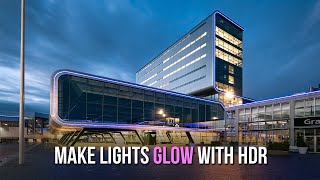
Make City Lights Glow With HDR in ACR
Learn to enhance city lights using Adobe Camera RAW's HDR capabilities, restoring full detail from RAW files for stunning nighttime photography.
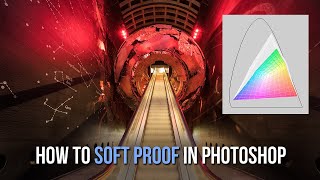
How to Soft Proof in Photoshop for Print and Web - Color Management Tutorial
Learn to soft proof in Photoshop to address "out of gamut" color issues before exporting images for print or web. Discover techniques using Web Sharp Pro and Lumenzia for optimal results.
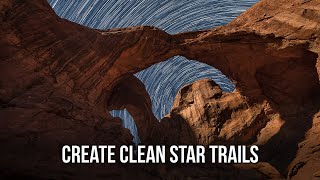
Creating Clean Star Trails
Learn techniques for capturing and processing stunning star trail images by combining multiple exposures, with tips on noise reduction and image stacking for optimal results.
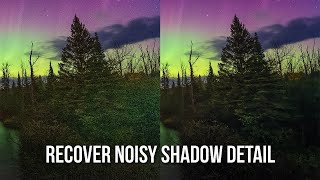
Recover Noisy Shadow Detail with DxO DeepPRIME
Learn techniques to enhance shadow details in noisy images using DxO DeepPRIME noise reduction plugin, improving overall image quality and preserving important visual information.
Automatically Remove Dust Spots and Power Lines in Photography - Luminar Neo and Photoshop Tips
Efficient techniques to eliminate dust spots and power lines using Luminar Neo and Photoshop, reducing tedious cloning work by 80% while maintaining image quality.
Mastering Lightroom and ACR Masking 2.0 - New Features and Techniques
Explore Adobe's Masking 2.0 update for Lightroom and ACR, learning new tools and techniques to enhance your RAW processing skills in this comprehensive tutorial.
Making the Desert Glow - Enhancing RAW Images with Lightroom and Luminosity Masks
Discover techniques to transform a dull desert RAW image into a vibrant masterpiece using Lightroom and luminosity masks, enhancing sky, light, and overall atmosphere.
Photoshop Channel Math: Add, Subtract, and Intersect for Advanced Luminosity Masking
Learn advanced luminosity masking techniques in Photoshop, including combining masks and channels through addition, subtraction, and intersection for enhanced image detail and precision.
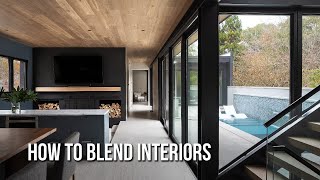
How to Blend Exposures for Interior Photography
Learn advanced techniques for blending exposures in interior photography using luminosity masks. Master extracting highlight and shadow details to enhance dramatic lighting in your images.
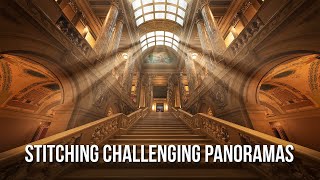
The Easiest Way to Tackle Tough Panoramas
Learn techniques for stitching challenging panoramas using PTGui and Luminar, with tips on shooting and processing workflows to create stunning wide-angle images.
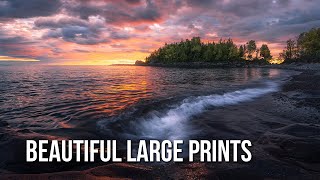
Best Software for Beautiful Large Prints
Learn techniques to enlarge images for stunning prints using Photoshop or Gigapixel AI, with tips on achieving optimal results and maximizing image quality for large-format printing.
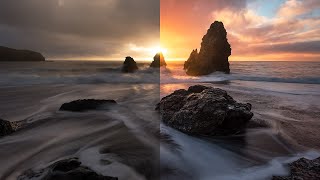
Color Grading in Lightroom and Adobe Camera Raw - New Features Tutorial
Explore advanced color grading techniques in Lightroom and ACR, including midtone control, luminosity adjustments, and blending options for enhanced photo editing.
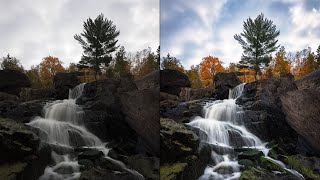
How to Get Great Fall Color with Luminosity Masks
Enhance fall photos using Photoshop and luminosity masks to restore vibrant colors and mood. Learn techniques to transform flat, muddy images into stunning autumn scenes.