Mind-Blowing Deepfake Tutorial - Turn Anyone into Your Favorite Movie Star! PC & Google Colab
Learn to create high-quality deepfake videos using open-source AI models and tools. Covers installation, face swapping, quality enhancement, and video reconstruction techniques for educational purposes.
Photoshop Generative Fill - Epic Uses, Superfast
Discover 20 innovative uses of Photoshop's Generative Fill, from expanding images and removing distractions to creating impossible scenarios, in this comprehensive guide to AI-powered photo editing.
Blender 3D Cowboy Hat Tutorial
Learn to model and light a stylized cowboy hat in Blender with this tutorial. Gain skills in 3D modeling, lighting techniques, and creating cute, stylized designs using industry-standard software.
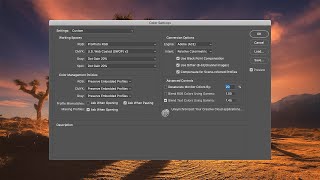
How to Optimize Photoshop Color Settings
Learn to optimize Photoshop color settings for consistent, high-quality images. Covers ICC profiles, RGB spaces, profile mismatches, conversion options, and advanced techniques for accurate color management.
Photoshop Selections 101
Comprehensive guide to Photoshop selection tools, covering basic to advanced techniques for creating precise selections and masks to enhance your photo editing skills.
Milky Way Astrophotography Lens Review - Nikon 14-24mm - Zeiss 15mm - Rokinon SP 14mm - Sigma Art
Comprehensive comparison of top astrophotography lenses for capturing sharp stars and the Milky Way, including focusing techniques and image quality analysis at various apertures.
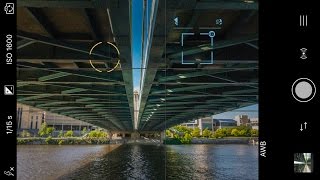
How to Shoot Manual and the Benefits of RAW with an iPhone
Learn to use iPhone as a professional camera with manual settings and RAW capture. Discover key techniques, recommended settings, and processing tips for high-quality mobile photography.
Create Beautiful Metal Buildings in Photoshop
Learn advanced Photoshop techniques to clean and enhance metal surfaces in architectural photos. Master Surface Blur, masking, and noise restoration for stunning results in cityscape imagery.
Refine Mask Tool for Beautiful Trees When Blending Exposures
Master Photoshop's Refine Mask tool for seamless blending of exposures, focusing on trees and skylines. Learn edge detection, adjustment techniques, and output options for stunning results.
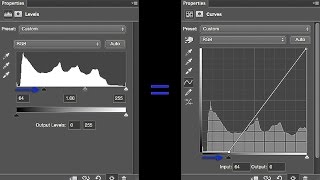
How to Use Photoshop Curves and Levels - And Why I Always Use Curves
Master Photoshop's Curves and Levels tools for enhanced photo editing. Learn to adjust contrast, tone, and white balance with precision, focusing on Curves' superior control and flexibility over Levels.
Full Interior Rendering
Learn to create stunning interior architectural renders using V-Ray 6 for 3ds Max. Master composition, lighting, materials, and postproduction in this comprehensive tutorial.
How to Use Overlays in Photoshop - Enhancing Images with Blending Modes and Effects
Learn to enhance photos using Photoshop overlays, blending modes, and color grading. Transform ordinary images into stunning visuals with easy-to-follow techniques and free tools.
Make Your Photos Pop Using Color Grading in Photoshop
Discover powerful color grading techniques in Photoshop to enhance your photos. Learn about gradient maps, blending modes, and masking to create stunning visual effects and improve image colors.
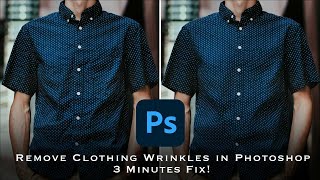
How to Remove Wrinkles from Clothes in Photoshop - Frequency Separation Tutorial
Master frequency separation in Photoshop to remove clothing wrinkles. Learn layer setup, settings, and techniques for seamless retouching. Gain in-depth understanding and practical skills for professional-looking results.
Three Essential Photoshop Tips for Efficient Retouching
Discover time-saving Photoshop techniques: Selective Color for effortless color correction, Auto Align Layers for precise alignment, and Masking Properties to streamline your retouching workflow.
How to Remove Backgrounds in Photoshop - Top Ways to Cut Out Object, Person or Hair
Master Photoshop background removal techniques for objects, people, and hair using various tools and methods to achieve professional-quality results.
Using AI Art and Photoshop for Unique Digital Art
Learn to combine AI-generated art with Photoshop techniques to create unique digital compositions. Master photobashing, image blending, and advanced editing for stunning visual results.
Midjourney Prompt Tips- Codes & Tricks - What Still Works?
Discover effective Midjourney prompt tips, codes, and tricks for AI art creation. Learn what still works in Version 4 and how to enhance your AI-generated images.
Learn Typography - Adjusting Text with the Type Tool in Photoshop
Master typography in Photoshop: Learn to adjust text using the Type tool, covering spacing, color, fonts, and essential techniques for controlling text in images.
How to Use Canva for Beginners
Learn to create stunning designs with Canva's user-friendly interface. Master templates, layouts, image editing, text customization, and element manipulation for eye-catching visuals.
YouTube Thumbnails Tips & Tricks - How to Make Thumbnails That Get Views & Clicks
Discover effective techniques to create eye-catching YouTube thumbnails that boost views and clicks, enhancing channel growth and audience engagement.