
How to Draw Goku
Learn to draw Goku from Dragon Ball Z, from initial pose to final inks. Master comic art techniques like dynamic line work, costume design, and form-based rendering to create professional-quality illustrations.

How to Draw Pennywise - From Stephen King's "IT"
Learn to pencil and ink Pennywise from Stephen King's IT in this comic art tutorial. Explore drafting, facial features, costuming, inking techniques, and line weighting while developing your artistic style in Manga Studio.
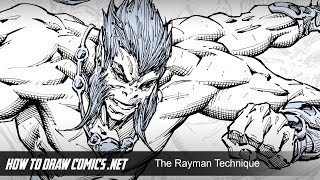
Foreshortening Characters With the Rayman Technique
Learn a creative approach to foreshorten comic book characters using the Rayman technique. Master dynamic posing and arm perspective without overthinking, plus watch a time-lapse illustration demo.
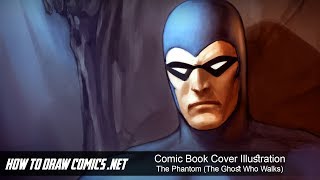
Comic Book Cover Illustration - The Phantom - The Ghost Who Walks
Digital painting tutorial for comic book cover illustration, focusing on The Phantom. Covers sketching, coloring, lighting, and detailing in Photoshop. Includes creative insights and tips for aspiring comic artists.

Comic Book Cover Illustration - Spider-Man: Homecoming
Learn digital painting techniques for creating a Spider-Man comic book cover illustration in Photoshop, from foundational sketching to color adjustments and special effects.

How to Draw - Demons - Demon Temptress
Learn to create a detailed comic book scene with multiple characters, focusing on anatomy, shading, and clothing. Discover techniques for drawing seductive demon temptresses and balancing elements in a long shot illustration.

Color Wheel Magic - Transforming Images with Photoshop and Color Theory
Learn to transform images using color theory and Photoshop. Master color wheel concepts, harmonies, and adjustment tools to enhance visual appeal and create stunning designs.

How to Creatively Use the Difference Blending Mode in Photoshop
Explore creative uses of Photoshop's Difference blending mode to recreate the Scream VI poster, incorporating tri-tone color schemes, gradient maps, and efficient group management for striking graphic effects.

Add Graphics or Patterns to Clothes Photoshop Tutorial
Learn to add graphics and patterns to clothing using Photoshop's puppet warp, transform warp, and liquify tools. Master techniques for preparing images, creating templates, and molding designs onto garments.

How to Use Depth Maps in Photoshop Tutorial
Learn to enhance image depth using Photoshop's Blur Depth neural filter, Lens blur filter, and depth maps. Apply techniques to real projects, adding atmospheric depth and making subjects stand out.

How to Improve Your Composites in Photoshop Tutorial
Learn advanced Photoshop techniques to enhance composites, including color grading, depth creation, and subject focus. Improve your digital art skills with practical tips for realistic image manipulation.

Glow Lines Portrait Photoshop Compositing Tutorial
Master Photoshop techniques to create stunning glow lines portraits. Learn camera RAW, selections, overlays, layer effects, and advanced retouching for eye-catching digital art compositions.

How to Use Blend If Creatively in Photoshop Tutorial
Learn creative Blend If techniques in Photoshop to combine images into a stunning composite. Master selections, masking, dodging, burning, and color grading for professional-looking results.

How to Mask with Adobe Camera Raw 2022 - Photoshop Tutorial
Learn advanced masking techniques in Adobe Camera Raw 14, including subject selection, color range masking, and gradient tools. Enhance your photo editing skills with practical examples and expert tips.

How to Get Perfect Skin in Photoshop Tutorial
Learn advanced skin retouching techniques in Photoshop, including blemish removal, smoothing, dodge and burn, frequency separation, and neural filters, for natural-looking, professional results.

How to Create Blue Hour in Photoshop Tutorial 2022
Learn to create stunning blue hour effects in Photoshop using sky replacement, curves, artificial lights, and flares. Master essential techniques to transform your photos into captivating twilight scenes.

How to Select a Person in Photoshop Tutorial 2022
Learn advanced techniques for selecting people in Photoshop, including smart selections, hand-drawn methods, and channel-based approaches. Master essential skills for compositing, manipulation, and retouching.

How to Create Golden Hour in Photoshop Tutorial 2022
Learn to create stunning golden hour effects in Photoshop using sky replacement, color adjustments, and atmospheric elements. Master techniques for landscapes, cityscapes, and portraits.

How to Remove a Background in Photoshop Tutorial 2022
Learn essential techniques for removing backgrounds in Photoshop, including one-click removal, lasso tool tricks, select and mask workspace, and advanced methods like pen and channel selections.

Tips for Creating Realistic Shadows in Photoshop Tutorial
Learn to create realistic shadows in Photoshop, covering theory, types, and techniques for cast, ambient, and contact shadows. Improve your digital imaging skills with practical tips and step-by-step guidance.

Beginner Tips for Retouching Portraits in Photoshop Tutorial
Learn beginner-friendly techniques for enhancing portrait photos in Photoshop, including eye retouching, skin blemish removal, and dramatic lighting effects using non-destructive methods and essential tools.