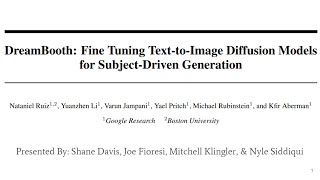
DreamBooth: Personalized Text-to-Image Generation - Lecture 10
Explore DreamBooth's innovative approach to AI-generated imagery, including unique identifiers, recontextualization, and artistic renditions. Gain insights into its capabilities and limitations.

Create AI Images with Your Face Using Photomaker - Free and Easy Tutorial
Explore Photomaker to generate AI images featuring your face. Learn installation, Python libraries, and text-prompt techniques for creating personalized, stunning photos effortlessly.

Build an AI Image Generator with OpenAI & Node.js
Learn to build an AI image generator using OpenAI's DALL-E model and Node.js. Create a web app that generates images from text input, integrating OpenAI's API with a custom frontend.
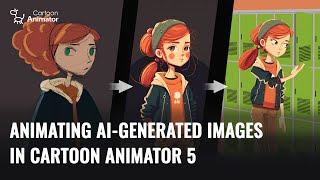
Animating AI-Generated Images in Cartoon Animator 5
Learn to create and animate AI-generated 2D characters using Cartoon Animator 5. Explore techniques for optimizing sketches, enhancing designs, and bringing characters to life with 3D motion conversion.
ComfyUI and Animate Diff Guide - Creating AI Animations
Learn to create stunning AI animations using ComfyUI and Animate Diff Evolve. Master installation, workflows, and advanced techniques for text-to-video and video-to-video animations.
Adobe Firefly Image 2 Beta: First Look and Tips
Explore Adobe Firefly Image 2 beta's capabilities and learn valuable tips for enhancing your image editing workflow with this innovative AI-powered tool.

Photoshop 2024 July Update - New Features and Tools
Explore Photoshop's July update: new Selection Brush, enhanced Adjustment Brush, improved Task Bar, and AI-powered features for efficient and creative image editing workflows.
Transform AI Images to Laser Engravings with Creality Falcon Pro - Step-by-Step Tutorial
Comprehensive guide on converting AI-generated images to laser engravings using Creality Falcon Pro, covering software usage, hardware assembly, and engraving process. Includes free image resources and product testing.

Wix Studio Crash Course - Build a Website in Record Time
Learn to build dynamic websites with Wix Studio, covering layout creation, responsive design, animations, AI-powered features, and interactive elements in this comprehensive crash course.
Audio-Reactive Generative Art Using ComfyUI and TouchDesigner
Discover how to create audio-reactive generative art by integrating ComfyUI's node-based AI workflow with TouchDesigner, guided by creative technologist Scott Mann's practical setup and techniques.

Stable Diffusion 3.5 and ComfyUI Comparison Review
Discover the key differences between Stable Diffusion 3.5 and ComfyUI.exe through hands-on testing and comparative analysis of their image generation capabilities and workflows.

Flux ControlNet Guide for ComfyUI
Master ControlNet implementation in ComfyUI to enhance AI image generation with precise control over poses, depth, and composition while creating stunning visual transformations.

Stable Diffusion 3.5 Large Tutorial - Configuration Guide and FLUX DEV Comparison
Master the optimal configuration and usage of Stable Diffusion 3.5 Large and FLUX DEV through SwarmUI, including model comparisons, LoRA implementation, and deployment across various computing platforms.
Improving Stable Diffusion Images with FreeU - Optimizing SDXL, LCM, and Turbo Models
Optimize Stable Diffusion images using FreeU hyperparameters. Learn to leverage ComfyUI API for grid searching ideal parameters in SDXL, LCM, and Turbo models. Practical demonstrations and comparisons included.

SDXL Turbo - Instant High-Quality Text-to-Image Generation with One-Step AI Model
Explore SDXL Turbo, a fast text-to-image AI model. Learn setup, key parameters, and generate high-quality images across various themes. Discover its versatility and speed in creating stunning visuals.

Stable Diffusion - Building Amazing Images with AI
Explore Stable Diffusion AI for image creation, covering embeddings, diffusion models, and practical examples. Learn to generate stunning visuals from text prompts.
Creating Qwik Components and Integrating AI Image Generation - Web Development With AI
Learn to create Qwik components, integrate AI image generation, and build accessible web applications with practical examples and step-by-step guidance.

ComfyUI Master Tutorial - Stable Diffusion XL - Install on PC, Google Colab and RunPod
Comprehensive guide on installing and using ComfyUI with SDXL on various platforms. Learn advanced Stable Diffusion techniques, including inpainting, LoRAs, and workflow optimization.
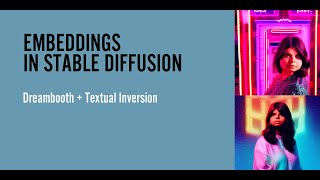
Embeddings in Stable Diffusion - Local Installation Tutorial
Learn to utilize embeddings in locally installed Stable Diffusion, enhancing AI-generated images with custom concepts and styles. Explore techniques for creating unique visual content.

Installing Stable Diffusion Locally for Free AI Image Generation - PC Version
Learn to install and use Stable Diffusion locally on your PC for free AI image generation, including upscaling capabilities and helpful resources for prompts.
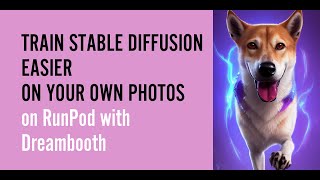
Train Stable Diffusion on Your Own Photos - Updated Tutorial
Learn to customize Stable Diffusion with personal photos, using tools like RunPod and Dreambooth. Includes tips for image preparation, troubleshooting, and optimizing results.