How to Resize Images in Photoshop
Learn six effective methods for resizing images in Photoshop, including AI-powered techniques. Discover which approaches work best for various design and animation scenarios to optimize your workflow.
Basic Lessons on Digital Painting in Photoshop
Learn essential Photoshop techniques for digital painting, including quick masks, selections, layers, groups, and brush settings for pencil-like drawing and painterly effects.
How to Draw Yourself As a Super Hero - Adobe Photoshop - Tutorial
Learn to transform yourself into a comic book superhero using Adobe Photoshop, exploring techniques for foreshortening and perspective with photo references in this narrated tutorial.
Digital Painting Tutorial - Photoshop - Skulls Artwork - Narrated by Robert Marzullo
Learn to enhance digital artwork with textures and elements like flames and skulls in Photoshop, guided by artist Robert Marzullo's step-by-step process.
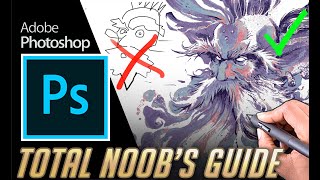
Total Beginners Guide to Drawing in Photoshop 2022
Learn essential Photoshop skills for digital art: canvas setup, brushes, layers, effects, selections, and more. Includes real-time tutorial and time-lapse drawing demo for absolute beginners.
Photoshop Brushes 2 - Advanced Stuff
Discover advanced Photoshop brush techniques, from creating custom presets to mastering complex brush settings. Learn pro-level tricks to elevate your digital art and impress viewers with your newfound skills.
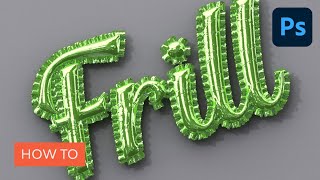
How to Create an Inflated 3D Frilly Text Effect in Adobe Photoshop
Learn to create a shiny, inflated 3D frilly text effect in Photoshop using pattern fills, 3D tools, and adjustment layers. Master techniques for realistic textures and lighting in this comprehensive tutorial.
Photoshop Text Effects - Top 6 Tutorial
Learn to create six stunning text effects using Photoshop layer styles, including glass, metal, neon, chrome, retro, and glitter. Master powerful techniques to enhance your design projects.
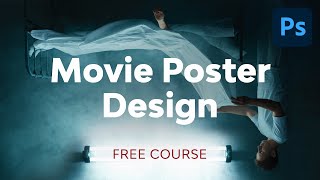
Movie Poster Design in Adobe Photoshop
Learn to create compelling movie posters in Photoshop. Master dimensions, composition, color grading, typography, and storytelling techniques to design eye-catching posters that capture the essence of films.
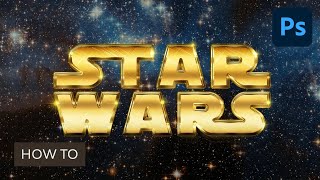
Create a Retro Star Wars Inspired Text Effect in Adobe Photoshop
Aprende a crear un impresionante efecto de texto inspirado en Star Wars utilizando estilos de capa, texturas espaciales y pinceles de destello en Adobe Photoshop.
Simple & Advanced Object Removal Tutorial for Video in After Effects and Mocha
Learn advanced object removal techniques in After Effects and Mocha, including motion tracking, clone stamping, and mask removal. Enhance your video editing skills with practical examples and step-by-step guidance.

Photoshop Animation Basics
Learn to create looping GIFs using Photoshop's animation tools. Install AnimDessin extension, set up workspace, and master frame-by-frame animation techniques for engaging visual content.
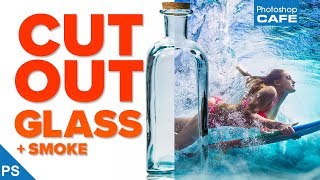
Extract Glass and Smoke - Transparent Selections in Photoshop
Learn to select and mask semi-transparent objects like glass and smoke in Photoshop, creating clean, see-through results with step-by-step guidance on selection techniques and masking.
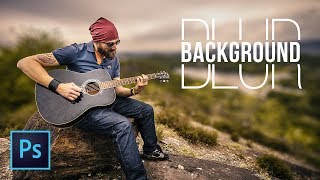
Simple Steps to Blur Background in Photoshop
Learn to create realistic background blur in Photoshop using depth maps, selections, and lens blur. Master techniques to mimic shallow depth of field without expensive lenses.

Remove and Fix Flyaway Hair or Stray Hair in Photoshop
Learn a 3-step process to efficiently remove and fix flyaway hair in Photoshop, with an additional hidden technique for challenging cases. Master this essential retouching skill for polished portraits.
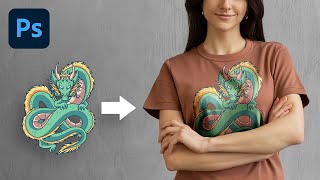
The Most Realistic Way to Place Design on T-Shirt - Photoshop Tutorial
Learn advanced Photoshop techniques to realistically place designs on t-shirts using luminosity masks and channels. Master natural-looking results, color adjustments, and depth creation for professional-quality graphics.

How to Flawlessly Iron Clothes in Photoshop
Master Photoshop's frequency separation technique to flawlessly remove wrinkles from fabric, preserving texture for natural-looking results. Learn quick and professional methods for crisp, smooth clothing edits.
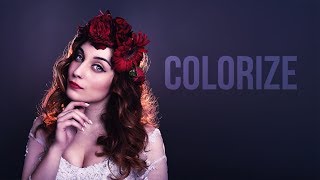
Adding Delicious Color Casts and Tints in Photoshop
Discover techniques for enhancing images with vibrant color casts and tints using adjustment layers, blending modes, and masks in Photoshop to create stunning visual effects.

Photoshop CS6 vs 2021 - Reasons to Upgrade
Comprehensive comparison of Photoshop CS6 and 2021, highlighting 28 key differences in features, offerings, compatibility, and performance to help users decide on upgrading.
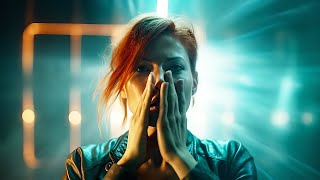
Create Masterpieces With Stable Diffusion in Photoshop
Learn to create AI-generated masterpieces using Stable Diffusion plugins in Photoshop. Explore text-to-image, outpainting, inpainting, and ControlNet techniques to enhance your digital art skills.
Can You Make AI Art Directly in Photoshop - Alpaca Plugin Beta Review
Explore Alpaca, a Photoshop plugin for AI-generated art. Learn its features, including image generation, fill, and transfer, with a hands-on demo and practical guide.