
10 Photoshop Tricks for Optimizing Social Media Photos
Master Photoshop techniques to enhance social media photos: resizing, color management, framing, sharpening, and optimal export settings for stunning visuals across platforms.

Photoshop's Hidden Depth Mask - Creating 3D Effects in Photos
Unlock Photoshop's hidden 3D depth mask to add atmospheric effects, enhance contrast, and make subjects pop. Learn to generate depth maps for various filters and adjustments, creating stunning visual impact.

Removing Complex Objects in Photoshop - Advanced Techniques
Master advanced Photoshop techniques to remove complex objects like fences, combining Content-Aware Fill, Generative Fill, and Remove Tool for high-quality results in photo editing.
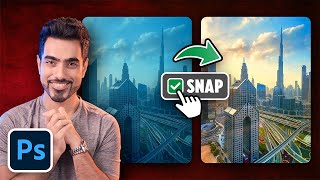
Top 5 Photoshop Tricks to Instantly Improve Any Photo
Learn 5 essential Photoshop techniques to enhance photos: color correction, spotlight creation, color vibrancy, adaptive presets, and distraction removal. Improve your images quickly and effectively.

12 Essential Photoshop Settings to Optimize Your Workflow
Optimize Photoshop settings for privacy, performance, and workflow efficiency. Learn crucial configurations to prevent data loss, enhance productivity, and customize your editing experience.

Ultimate Guide to Selection Brush and Quick Mask in Photoshop
Mastering Photoshop's Selection Brush and Quick Mask: Learn when and how to use each tool effectively for precise selections and image editing techniques.

Converting Photos to Art in Photoshop Using Generative AI - New Features and Techniques
Explore Photoshop's new AI-powered features for transforming photos into art, including Generative Fill and Selection Brush. Learn techniques for partial effects and advanced methods.

Photoshop 2024 July Update - New Features and Tools
Explore Photoshop's July update: new Selection Brush, enhanced Adjustment Brush, improved Task Bar, and AI-powered features for efficient and creative image editing workflows.

Pro Tricks and Tips to Help You Master Photoshop
Discover advanced techniques and insider tips to elevate your Photoshop skills, enhancing your design capabilities and workflow efficiency.

How to Retouch and Remove Objects in Photoshop Without AI - Part 1
Mastering traditional Photoshop techniques for object removal and retouching, comparing effectiveness with AI methods. Enhance your photo editing skills and achieve professional results.

Adobe Firefly for Beginners - AI Art Generation Tutorial
Learn Adobe Firefly for AI art generation, covering basics to advanced techniques. Master image creation, styles, generative fill, and AI integration in Photoshop for creative digital art projects.
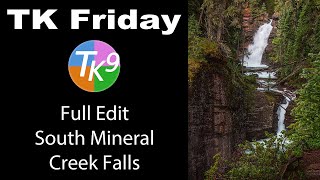
TK Friday - South Fork Mineral Creek Falls Full Edit
Comprehensive Photoshop tutorial using TK9 Plugin to enhance a waterfall image. Learn advanced editing techniques with step-by-step guidance and downloadable resources for hands-on practice.

TK Friday - Rocky Shoreline Full Edit
Enhance rocky shoreline images using Adobe Photoshop and TK9 Plugin. Learn advanced editing techniques to develop stunning landscape photographs with professional results.
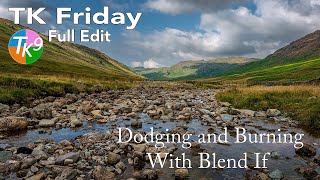
Dodging and Burning with Blend If - TK Friday Full Edit
Explore advanced dodging and burning techniques using Blend If in Photoshop. Learn to enhance images step-by-step, focusing on a rocky landscape photo to elevate your editing skills.
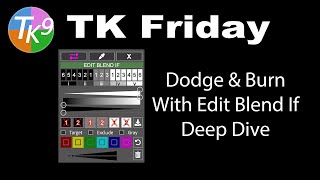
Dodging and Burning with Edit Blend If - Deep Dive
Mastering advanced dodging and burning techniques using TK9 Edit Blend If Panel. Enhance your photo editing skills with in-depth exploration of powerful tools for precise image adjustments.
Photoshop's New Selection Brush Tool - First Look
Explore Photoshop's new Selection Brush tool with tips and tricks to enhance your photo editing workflow. Learn how to effectively use this feature for precise selections and improved image manipulation.

The Basics of Blending Modes in Photoshop 2024
Explore essential Photoshop blending modes, their creative applications, and how to effectively use them in compositing projects. Gain insights for enhancing your digital artwork.
How to Use Neural Filters in Photoshop CC - Advanced AI Editing
Explore AI-enhanced editing with Neural Filters in Photoshop CC. Learn to refine portraits, adjust expressions, and create stunning effects using advanced AI techniques for transforming your photos.

7 Common Photo Mistakes and How to Fix Them in Photoshop
Learn to fix common photo issues in Photoshop, from motion blur and missed focus to color casts and skin tone matching. Master techniques to recover details, remove imperfections, and enhance your images.

Photoshop Essential Shortcuts - Tutorial 4
Master essential Photoshop shortcuts to streamline your workflow and boost productivity. Learn time-saving techniques for efficient image editing and design tasks.
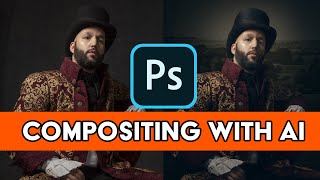
Adobe AI for Retouching and Compositing in Photoshop - Firefly AI 3 Tips and Tricks
Optimize retouching and compositing workflows in Photoshop using Firefly AI 3. Learn time-saving techniques to enhance productivity and achieve professional results efficiently.