Photoshop 2022 Crash Course - Tutorial for Complete Beginners
Comprehensive tutorial covering essential Photoshop skills for beginners, from basic tools to advanced techniques like masking, retouching, and adding effects.
Photoshop Advanced Tutorial
Master advanced Photoshop techniques including layer management, blending modes, 3D text, complex selections, and filters. Enhance your creative skills for professional-level photo editing and graphic design.

Photoshop Beginner Tutorial
Comprehensive tutorial covering Photoshop basics to advanced techniques. Learn interface, image manipulation, layers, typography, color correction, masks, filters, and more for enhancing photos and creating designs.
How to Animate a Still Image with After Effects and Photoshop - Tutorial ft. METROID DREAD
Learn to animate still images using Photoshop and After Effects. Master techniques like layer separation, keyframe animation, and particle effects to bring artwork to life with professional motion graphics.

Realistic Animation - How to Rotoscope in Photoshop
Discover the art of rotoscoping in Photoshop to create lifelike animations with natural motion. Learn frame-by-frame techniques for realistic and engaging animated sequences.

Adobe Photoshop Tutorial - Basic Training for Beginners
Learn essential Photoshop tools and techniques, including layers, masks, shapes, smart objects, blending modes, pen tool, extraction, brush tool, text tool, and filters for image editing and manipulation.
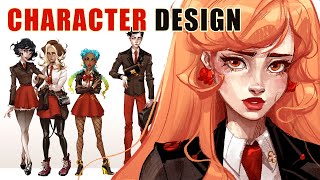
Character Design - Intuitive Approach - 5 Characters Full Process - Gloamingvale
Intuitive character design process showcasing creation of 5 unique characters for Gloamingvale, focusing on visual context, shape language, and character analysis.
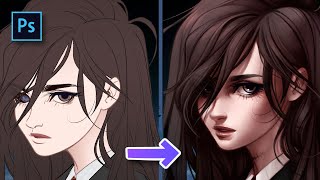
HaeJin Portrait Full Process Explanation - Photoshop CC - Speedpaint
Comprehensive walkthrough of creating a digital portrait in Photoshop CC, covering techniques from initial sketch to final detailing, with insights on color theory and workflow optimization.
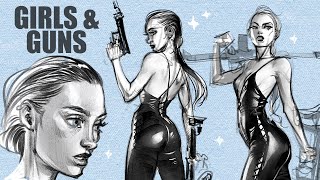
More Tips on Anatomy in Figure Drawing - Girls & Guns
Explore advanced figure drawing techniques focusing on anatomy, including the 50/50 rule, head-torso connection, and mind-body relationship. Includes practical drawing segments for hands-on application.
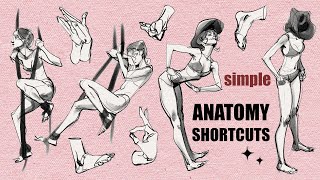
How to- Anatomy Shorthand - Quick Pro Shortcuts for Drawing All Body Parts
Learn quick shortcuts for drawing all body parts efficiently, enhancing your anatomy sketching skills for improved character design and illustration.

Master Color Grading - 5 Tricks Pros Hide from You - Photoshop Tutorial
Discover 5 professional color grading techniques in Photoshop to enhance image mood and drama. Learn to create filters, extract colors, and apply automatic grading for impactful results.
Tools to Become a Better AI Artist
Explore AI-assisted art creation using NightCafe, learn about free credits, and discover techniques for enhancing and upscaling AI-generated images.
Create Animated Pixel Visualizers - Music Videos - Animations Pokemon Style - Adobe Ps - Ae Tutorial
Learn to create animated pixel visualizers and music videos with a Pokemon-inspired style using Adobe Photoshop and After Effects. Master sprite creation, walk animations, and background compositing techniques.
Create Insane Scrapbook Edits - ASAP ROCKY x PACSUN - Adobe After Effects + Photoshop
Learn to create trendy scrapbook-style edits using After Effects and Photoshop. Master techniques like subject isolation, texture creation, paper cutout effects, and animated backgrounds for eye-catching visual designs.
Bring 2D Hand Drawn Animations to Life in 3D - Adobe After Effects + Photoshop
Learn to bring 2D hand-drawn animations to life in 3D using Adobe After Effects and Photoshop. Master techniques like compositing, tracking, puppet tool animation, and creating depth for eye-catching visual effects.

How to Make Your Landscape Photos Look Better Fast - Photoshop Tutorial
Enhance landscape photos with expert Photoshop techniques: RAW editing, color profiles, adjustments, dodge and burn, composition, sharpening. Transform images dramatically using this comprehensive workflow.
Down the Rabbit Hole with Smart Objects in Photoshop
Explore advanced Smart Object techniques in Photoshop, from basic usage to nested animations and Lightroom integration, enhancing your image editing skills.
Selections and Cutouts Photoshop
Master Photoshop selections, masks, and cutouts. Learn essential techniques for precise image editing, including refining edges and combining masks for professional results.
Care and Feeding of Photoshop Presets
Learn to effectively manage, install, use, and back up Photoshop presets. Master techniques for importing, exporting, syncing, and updating presets to enhance your workflow and creativity.
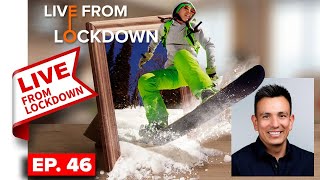
Compositing Tips in Photoshop
Learn advanced Photoshop compositing techniques from expert Jesus Ramirez. Topics include background removal, rim lighting, image harmonization, color adjustments, hair refinement, and blending for realistic results.

How to Use Color to Transform Your Photos - Fix My Photo in Photoshop with Colin Smith
Learn to enhance photos using color techniques in Photoshop. Discover how to create impact, fix common issues, and apply advanced color adjustments to transform your images.