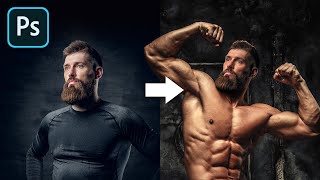
The Most Realistic Way to Swap Head in Photoshop
Learn realistic head-swapping techniques in Photoshop, covering essential criteria, proper placement, light and shadow matching, and skin tone blending for seamless and natural-looking results.

Erase Extreme Tattoos Effortlessly in Photoshop
Master Photoshop techniques to remove tattoos, from simple healing tools to advanced frequency separation and skin reconstruction, creating realistic results for various tattoo complexities.

Select Transparent Stuff with Blend Modes - Photoshop Tutorial
Learn to mask transparent objects, create realistic reflections, and match backgrounds in Photoshop using blend modes and Blend-If. Master techniques for natural composites with glass objects.
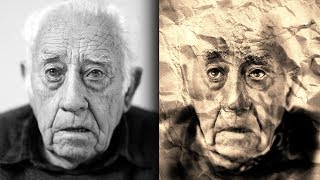
Sketch and Ink Effect Using Difference Blend Mode in Photoshop
Learn to create stunning sketch and ink effects in Photoshop using the Difference blend mode. Master techniques for adding shading, dimension, and realistic paper textures to elevate your digital artwork.
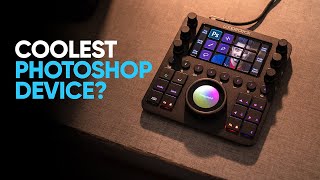
Edit in Photoshop Faster - Is Loupedeck CT Any Good?
Explore Loupedeck CT's features for faster Photoshop editing, including easy tool access, customization options, workspaces, navigation wheel, and custom actions to enhance productivity and workflow efficiency.
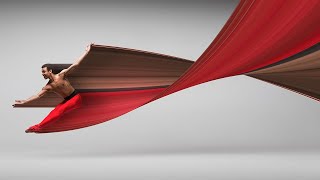
Pixel Stretch Effect With 3 Simple Steps in Photoshop
Learn to create the popular pixel stretch effect in Photoshop with three fundamental steps and bonus tips for enhancing realism. Includes downloadable actions for faster workflow.
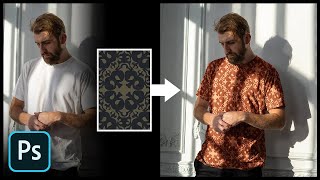
Add Any Pattern to Clothes in Photoshop
Learn to seamlessly add and blend patterns onto clothing in Photoshop using layer styles, blend modes, and warping techniques. Master creating realistic textures and enhancing contrast for professional-looking results.

How to Use Photoshop Layers for Beginners
Learn Photoshop layers basics: adding, stacking, hiding, adjusting opacity, and merging. Master essential techniques for effective image editing and manipulation in this beginner-friendly tutorial.
Take Your Photoshop Compositing Skills to the Next Level with Jesús Ramirez
Enhance Photoshop compositing skills with expert Jesús Ramirez. Learn to combine stock images realistically, master advanced techniques, and create stunning visual scenes in this comprehensive tutorial.

Creating Low Poly Backgrounds
Learn to create trendy low poly abstract backgrounds using Cinema 4D and Photoshop. Master 3D modeling, rendering, lighting, and coloring techniques to enhance your design skills.
10 Tips to Master Adobe Photoshop Brushes
Comprehensive guide to mastering Photoshop brushes, covering basics, application techniques, custom brush creation, and efficient use of brush presets for designers and illustrators.
Introduction to Photoshop CC for Beginners
Learn essential Photoshop CC techniques for beginners, covering basic editing, color settings, blending modes, actions, and advanced compositing to enhance your photo editing skills.

High Impact Special Grunge Effect in Photoshop CC
Create a high-impact grunge effect in Photoshop CC using advanced techniques like smart objects, filters, and adjustments for striking visual results.
How to Make Business Cards in Adobe Photoshop
Learn to design impactful business cards in Photoshop. Create three stunning styles: minimalist, photographic, and artistic. Master techniques for unique, print-ready designs that make a lasting impression.

Adobe Photoshop Course for Beginners - Photo Editing Tutorial
Comprehensive Adobe Photoshop tutorial covering essential tools and techniques for beginners, from basic file creation to advanced portrait editing and animation.

Adobe Photoshop CC 2020 Crash Course for Absolute Beginners
Learn to create a movie poster from scratch using Photoshop CC 2020. Master essential tools, layers, adjustments, and techniques to kickstart your graphic design journey and apply skills to future projects.
3D Parallax Zoom Transition in Premiere Pro & Photoshop
Learn to create stunning 3D parallax zoom transitions using Adobe Photoshop and Premiere Pro. Master techniques for dynamic visual effects, including keyframing, motion blur, and text integration.
Painting a Troll in Photoshop With Commentary
Learn digital painting techniques for creating a monster in Photoshop, while the artist shares insights on YouTube content creation challenges and experiences.
Digital Painting Texture on a Zombie - Using Adobe Photoshop
Learn techniques for adding realistic textures to zombie characters using Adobe Photoshop, with tips on creating undead skin, wounds, and decay effects for digital paintings.
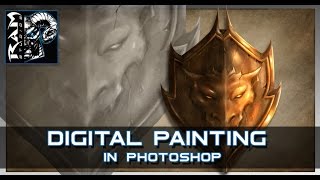
Digital Painting Tutorial - Adobe Photoshop - Hard Edge Technique
Learn Adobe Photoshop's hard edge technique for digital painting, focusing on creating textures and painting armor. Ideal for beginners using Wacom Cintiq and Photoshop CC.
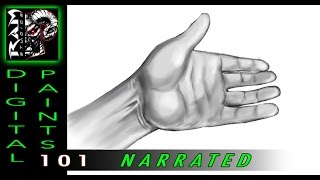
Digital Painting Lesson - Photoshop - Hand Study
Learn digital painting techniques for drawing and shading hands in Photoshop. Improve your overall art skills through this complex subject, with expert guidance from professional artist Robert Marzullo.