Designing Logos and Packaging with Illustrator and Photoshop - Efficient Design Tutorial Part 2
Learn to design logos and packaging using Illustrator and Photoshop. Covers branding strategy, typography, mockups, custom illustrations, and color experimentation for a plant-based cake-pop company.
Creating a Poster in Adobe Illustrator - Creative Basics 201
Learn to design a poster in Adobe Illustrator with expert tips on color palettes, typography, gradients, and special effects. Gain practical skills for creating eye-catching designs from professional brand identity designers.
Creating Custom Patterns in Adobe Illustrator - Foundations Challenge
Learn to create custom brand patterns in Illustrator using pathfinder tools, color palettes, and various techniques. Explore squiggly lines, random shapes, clipping masks, and logo integration for unique designs.
Designing Packaging Dielines in Illustrator - Marketing Challenge
Learn to design product packaging using Illustrator. Create dielines, set up layers, add flaps and glue tabs, and color-code folding lines in this hands-on tutorial for marketers and designers.
Advanced Vector Design Techniques in Adobe Illustrator - Creative Basics 201
Enhance vector design skills with advanced Adobe Illustrator techniques. Learn Pathfinder tools, Shape Builder, compound paths, and type manipulation for maximizing creative potential.

Geometric Magic Design Challenge - Illustrator Daily Creative
Learn to create captivating geometric designs using basic shapes in Illustrator. Master grid creation, pattern development, and essential tools for stunning visual compositions.
Designing and Mocking Up Logos in Adobe Illustrator and Photoshop - Part 2
Learn to design and mock up logos for Jurassic Park's Ingen using Adobe Illustrator and Photoshop. Explore techniques for creating name tags, gradient backgrounds, and color palettes with designer John Olson.
Spatter Techniques in Digital Illustration - Episode 1
Learn versatile spatter techniques for textures, shading, foliage, and effects in digital illustrations. Customize your own spatter brushes and explore creative applications with expert guidance.
Logo and Branding Creation Masterclass - From Research to Refinement
Learn to create compelling logos and branding with Adobe Evangelist Paul Trani. From research to final designs, discover techniques using Illustrator on iPad and desktop to craft professional brand identities.
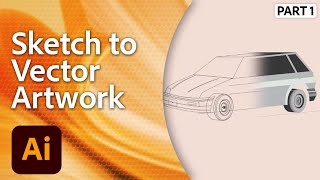
Vector Illustration in Adobe Illustrator - From Sketch to Digital Art
Learn to transform sketches into vibrant digital illustrations using Adobe Illustrator. Master vector techniques, perspective, linework, and essential tools while following along with expert Tyler Pate.
Creating Three-Dimensional Illustrations with Rik Oostenbroek - Part 1
Learn to create stunning 3D illustrations using Photoshop and Illustrator with designer Rik Oostenbroek. Explore font manipulation, abstract forms, and vibrant colors to develop a unique artistic style.

Illustrator Daily Creative Challenge - Logo Design
Learn to design a personal brand logo using Illustrator's Type and Divide tools in this hands-on challenge. Enhance your skills with expert guidance and community feedback.
Illustrator Masterclass - New Features and Pro Tips
Explore the latest Illustrator features for desktop and iPad with Adobe Evangelist Paul Trani. Learn pro tips, create illustrations, and discover time-saving techniques in this comprehensive masterclass.
Designing a Graphic Apparel Collection with Illustrator on iPad - Part 1
Graphic designer Jennet Liaw demonstrates creating an apparel collection using Illustrator on iPad, covering sketching, moodboarding, text manipulation, and bold graphics to convey a message.

Creating Your Personal Brand Identity - Part 2
Learn to create a personal brand identity using Adobe tools. Explore branding strategies, design Instagram templates, and create animated social media assets with expert guidance.
Illustrator's Newest Features: First Takes from Professional Designers
Explore Illustrator's latest features with professional designers, showcasing real-time workflows, iPad integration, and community interaction for enhanced graphic design skills.
Creating Custom Icons in Illustrator on iPad - Part 1
Learn to design custom mobile app icons using Illustrator on iPad with Sarah Kuehnle. Explore shape-building tools, artboards, mirroring, gradients, and gestures while incorporating real-time viewer feedback.

Designing a Food Festival Brochure - Part 2: Layout and Print Preparation
Learn to design a food festival brochure with Mercedes Bazan. Create custom layouts, illustrations, and print-ready publications using Adobe tools. Gain practical tips for efficient, high-quality design work.

Graphic Design Basics: Creating a Paul Rand Inspired Logo - Illustrator Challenge
Learn to create a Paul Rand-inspired logo using shape and line tools, exploring graphic design basics and enhancing your Illustrator skills through daily creative challenges.
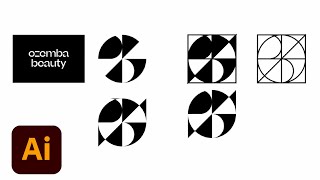
Logo Design for a Fresh Beauty Brand - Part 1
Designer Ben Wagner demonstrates logo creation for a beauty brand, covering sketching, digital transformation, and mockups using Adobe tools. Insights on client communication and design trends included.
Sustainable Packaging Design in Adobe Illustrator and Photoshop - Part 1
Explore sustainable packaging design with Art Director Mariela Mezquita as she creates branding for a fictional tea company using Adobe Illustrator and Photoshop, covering color palettes, typography, illustrations, and client presentations.