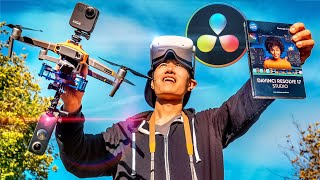
How to Film and Edit 360° Video - DaVinci Resolve VR Editing In-Depth Tutorial
Comprehensive guide on filming and editing 360° drone videos using DaVinci Resolve, covering equipment setup, shooting techniques, and post-production workflows for creating immersive aerial experiences.
Edit, Reframe, Color Grade 360° Video Like a Pro with Mistika Boutique
Learn to edit, reframe, and color grade 360° videos professionally using Mistika Boutique's free Educational Edition. Master advanced techniques like object removal, stabilization, and VR headset preview for high-quality immersive content.
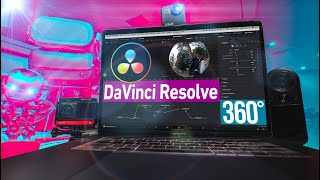
Edit 360° Video with DaVinci Resolve - Tripod Removal, PanoMap, Spherical Stabilizer
Learn advanced 360° video editing techniques in DaVinci Resolve, including tripod removal, PanoMap usage, and spherical stabilization. Master immersive video post-production for stunning results.
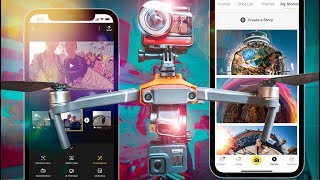
Insta360 ONE R App Video Editing and 360 Reframe In-Depth Tutorial - Edit 4K Vlogs on a Phone
Comprehensive tutorial on using Insta360 ONE R app for advanced mobile video editing, including 360 reframing, AI tracking, and professional transitions. Learn to create vlogs and edit 4K footage on your phone.
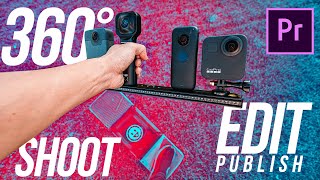
How to Shoot, Edit, Publish 360 Video with GoPro MAX and All 360 Cameras - The Ultimate Premiere VR Guide
Comprehensive guide on creating 360 videos: from shooting with GoPro MAX to editing in Premiere Pro, including advanced techniques like object removal and color grading, and publishing on various platforms.
360 VR Video Post Production with Adobe Premiere Pro CC
Learn advanced 360 VR video editing techniques in Adobe Premiere Pro CC 2018, including immersive effects, 2D object insertion, tripod removal, and optimization tips for enhanced post-production workflow.
360° Video- How to Film Snowboarding & Skiing in 8K VR with Insta360 X3 and One RS
Learn to capture stunning 8K VR snowboarding and skiing footage using Insta360 cameras. Discover equipment setup, filming techniques, camera settings, and post-production tips for creating immersive 360° winter sports videos.
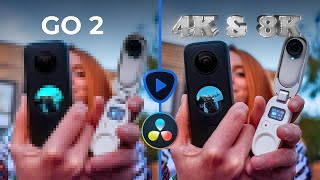
Insta360 GO 2 in 4K - Topaz Video Enhance AI vs Resolve 17 Super Scale for 360° Video Upscaling
Learn to upscale Insta360 GO 2 footage to 4K using AI tools. Compare Topaz Video Enhance AI and DaVinci Resolve's Super Scale, plus techniques for sharpening 360 videos with Boris FX Continuum.
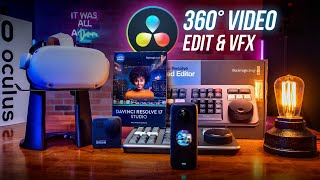
Insert and Animate Text, Logo, or Video in 360° Video - DaVinci Resolve 17 & Fusion 3D Tutorial
Master 360° video editing in DaVinci Resolve 17 & Fusion. Learn to insert and animate text, logos, graphics, and 2D videos within 360° environments using advanced techniques and nodes.
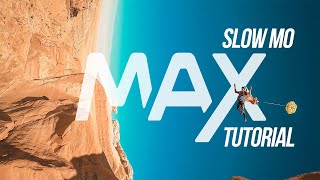
GoPro MAX Slow Motion Review and 360 Speed Ramp Tutorial
Comprehensive tutorial on GoPro MAX slow motion, 360 speed ramping, and advanced editing techniques in Adobe Premiere Pro, with comparisons to other 360 cameras and software updates.
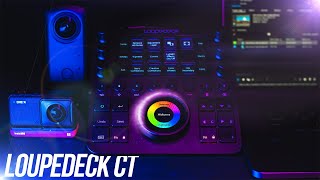
Edit 360 VR and 2D Video Fast with Loupedeck CT - Tutorial and Review
Optimize video editing workflow with Loupedeck CT for 360VR, 2D, and audio editing in Premiere Pro. Learn programming shortcuts and techniques to boost productivity and efficiency.
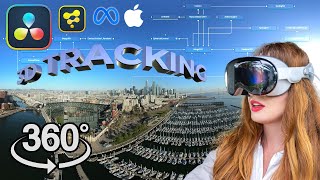
Edit 360° Video with DaVinci Resolve 18.5 - Add 3D Text and Graphics, 360 Camera Tracking Masterclass
Master 360° video editing in DaVinci Resolve 18.5: Learn advanced techniques for 3D text, graphics, camera tracking, and VFX integration. Perfect for creating immersive VR content and virtual tours.
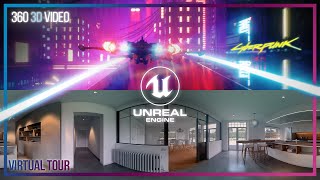
Unreal Engine for 360° VR and ArchViz Virtual Tour Video In-Depth Tutorial - Oculus TV and YouTube VR
Learn to create immersive 360° VR videos and virtual tours using Unreal Engine. This beginner-friendly tutorial covers everything from setup to publishing, including cinematic camera animation and rendering techniques.

The Reality of Virtual Reality - Insights from Top Developers
Top VR developers discuss challenges and best practices in creating immersive experiences, offering insights on objectives, interactivity, barriers, retention, and replayability for aspiring creators.
Papers: 3DUI | IEEE VR 2022
Explore cutting-edge 3D user interface research, including 360° video comments, VR maintenance training, gaze-based menu selection, gesture guides, and eye/head movement task recognition in virtual reality.
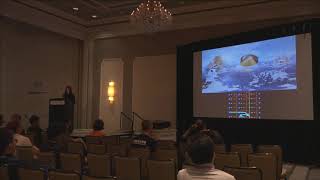
View-Dependent Video Textures for 360° Video
Innovative technique for 360° videos using gated clips and view-dependent video textures, ensuring viewers don't miss key narrative elements while maintaining seamless playback and enhancing the viewing experience.
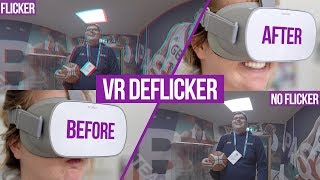
How to Remove Flicker in 360° VR Video
Learn to identify and eliminate flicker in 360° VR videos using Neat Video 5. Covers causes, types, and advanced techniques for both consumer and professional cameras to enhance VR experiences.
Best Oculus Quest Settings for 360 - VR180 Video Rendering in Premiere-FFmpeg
Comprehensive guide for optimizing 360° and VR180 video rendering on Oculus Quest, covering max resolutions, export settings, sideloading, and workflows for Premiere and FFmpeg.
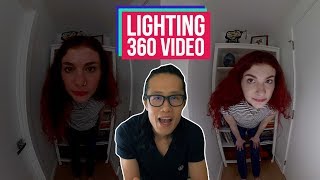
How to Light 360 VR Video Professionally
Learn effective techniques for lighting 360° VR video, including using practicals, clean plating, and professional 360° production lights. Includes a review of the AMBIT light and practical demonstrations.
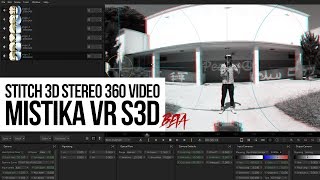
Stitch Stereo 3D 360 Video with SGO Mistika VR S3D - Review & Tutorial
Tutorial on stitching stereoscopic 3D 360 video using Mistika VR S3D, covering vertical parallax and optical flow issues with step-by-step guidance for improved VR video production.
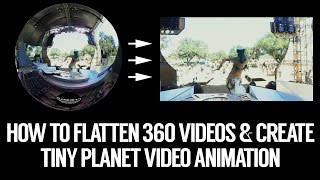
Flatten Gear - Keymission 360 Video into Standard Video and Add Tiny Planet Animation with Insta360 Studio
Learn to edit and convert 360 videos into standard format using Insta360 Studio. Master techniques like flattening, tiny planet animation, and logo insertion to create engaging promotional content for social media.