Главная
Study mode:
on
1
Intro
2
ControlNet Overview
3
List of necessary tools
4
Part 1 ControlNet models
5
OpenPose model
6
Depth, Segmentation, Normal pass explanation
7
Depth pass
8
Segmentation pass
9
Normal pass
10
Canny edge detect
11
HED
12
MLSD
13
Scribble
14
Part 2 Pose Editors
15
OpenPose Editor
16
Detect pose from image
17
Testing out the open pose skeleton
18
Creating the second template skeleton
19
Testing out the second skeleton
20
Creating the third template skeleton
21
Posing the fourth template skeleton
22
Combining all templates into a reference sheet
23
Batch sourcing concepts
24
Posing in 3D Blender
25
Blender Introduction
26
How to pose the rig
27
Pose fundamentals
28
Starting to pose
29
Saving pose to pose library
30
Balancing the pelvis with the torso
31
Positioning the head
32
Moving the legs and feet into position
33
Positioning the arms
34
Basic gesture of the hand
35
Applying gesture in 3D
36
Setting up the camera
37
Rendering passes
38
Multiple ControlNets
39
Brainstorming base designs
40
Selecting the base design
41
Double-checking the effect of multiple controlnets
42
Cleaning the base image first pass
43
Inpainting the face first pass
44
Rendering new hand passes
45
Generating new hands using blender passes
46
Photobashing hands
47
Sanity check to see if limbs match up with image
48
Content aware fill
49
Technique to match color/skin tones on photobash assets
50
Inpainting the hands
51
Creating an inpainting model
52
Starting final touches
53
Adding compositional elements
54
Generating first compositional element
55
Generating second compositional element
56
Upscaling/inpainting the face second pass
57
Final face adjustments
58
Adjusting values
59
Lighting the scene
60
Adding bloom
61
Camera raw filter
62
Light rays/god rays
63
Wrapping up
Description:
Explore the application of ControlNet to character design in this comprehensive tutorial video. Learn about various ControlNet models, including OpenPose, Depth, Segmentation, Normal pass, Canny edge detect, HED, MLSD, and Scribble. Dive into pose editing techniques using OpenPose Editor and 3D posing in Blender. Master the art of combining multiple ControlNets, brainstorming designs, and refining character concepts through inpainting, photobashing, and compositional enhancements. Discover advanced techniques for matching color tones, adjusting values, and adding finishing touches like lighting, bloom, and god rays. Perfect for digital artists and concept designers looking to leverage AI-assisted tools in their creative workflow.
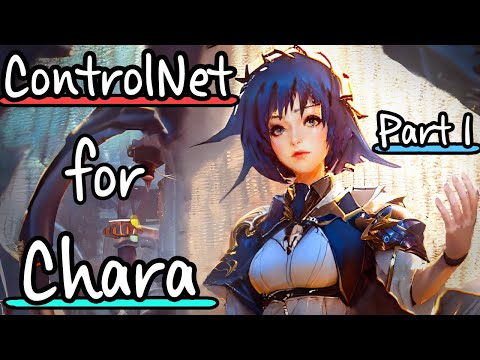
Stable Diffusion- Applying ControlNet to Character Design - Part 1

kasukanra
Add to list