Главная
Study mode:
on
1
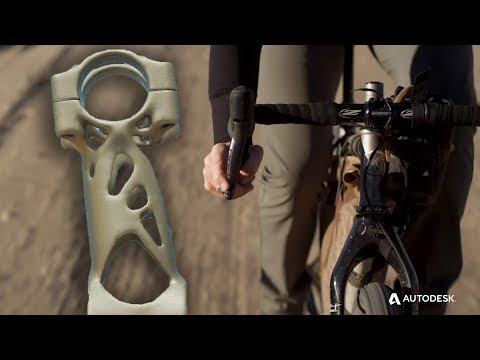
Autodesk Fusion 360 | SRAM is Pushing Bicycle Componentry with Generative Design in Fusion 360
2
360 LIVE: What's New in Generative!
3
360 LIVE: Sculpting Generative Results
4
Generative Tutorial 1 of 8 Preserve
5
Generative Tutorial 2 of 8 Motor Mount Obstacles
6
Generative Tutorial 3 of 8 Other Obstacles
7
Generative Tutorial 4 of 8 Loads and Constraints
8
Generative Tutorial 5 of 8 Objectives
9
Generative Tutorial 6 of 8 Manufacturing Methods
10
Generative Tutorial 7 of 8 Solve and Explore
11
Generative Tutorial 8 of 8 Create and Edit
12
Generative Features: Define Project Objective
13
Generative Features: Generate & Explore Designs
14
Generative Features: Export CAD Ready Files
15
How to use Fusion 360 to cloud solve generative designs
16
Generative Features: Overview
17
Free Generative Design for a Limited Time
18
QUICK TIP: Easier T-Spline Edits for Generative Design
19
QUICK TIP: Generative Export Options
20
QUICK TIP: Generative Connector Obstacles
21
QUICK TIP: Post Generative Accessibility Analysis
22
QUICK TIP: Generative Connector Obstacles
23
QUICK TIP: Clone and Edit to Maximize Generative Solutions
24
QUICK TIP: Advanced Starting Shapes in Generative
25
QUICK TIP: Generative Export Options
26
QUICK TIP: Post Generative Accessibility Analysis
27
QUICK TIP Generative Synthesis
28
QUICK TIP Understanding Generative Manufacturing Orientation
29
QUICK TIP How to use Starting Shapes in Generative Design
30
QUICK TIP Adjust Organic Generative Results
31
QUICK TIP Achieving Symmetry with Generative Designs
32
QUICK TIP: Local Preview for Better Generative Results
33
QUICK TIP: Reviewing Cost Estimates from Generative
34
QUICK TIP: Generative Cost Analysis
35
QUICK TIP: More Generative Results with Iteration Selection
36
QUICK TIP: Simulate Generative Exports
37
How to adjust prismatic exports in Fusion 360
38
How to use Fusion 360 edit workspace for generative design
39
QUICK TIP: 2 & 2 5 Axis Manufacturing Restraints in Generative Design
40
QUICK TIP: Remove Features
41
How to use tagging and filtering in Fusion 360
42
Autodesk Fusion 360 | What's New in Design & Engineering + GENERATIVE FLUIDS September 2021
43
Webinar: Avoid Pitfalls Through Manufacturing-Aware Generative Design
Description:
Explore generative design in Autodesk Fusion 360 through a comprehensive series of tutorials, live sessions, and quick tips. Learn how to preserve designs, create motor mounts, handle obstacles, apply loads and constraints, set objectives, and utilize various manufacturing methods. Discover techniques for solving and exploring generative designs, creating and editing results, and exporting CAD-ready files. Gain insights into advanced features such as defining project objectives, cloud solving, and maximizing generative solutions. Master practical skills like adjusting organic results, achieving symmetry, and performing cost analysis. Dive into specialized topics including generative fluids, manufacturing-aware design, and accessibility analysis. Enhance your Fusion 360 proficiency with tips on T-spline edits, starting shapes, and manufacturing orientation to push the boundaries of bicycle componentry and other innovative designs.
Generative

Autodesk
Add to list