
Creo Sheet Metal Tutorial
Comprehensive tutorial on sheet metal design in Creo Parametric, covering various techniques, tools, and practical examples for creating complex sheet metal parts and assemblies.
Creo Parametric 2.0 Introduction Tutorials
Learn how to do some basic modeling using Creo Parametrics and create a Portfolio in the end of this lecture series.

Creo Parametric 5.0 - 8.0 Advanced Tutorials
Master advanced Creo Parametric techniques including DWG conversion, bottle modeling, mold design, sheet metal, family tables, relations, surfacing, and file translation for enhanced CAD proficiency.

SolidWorks Tutorial for Beginners
Comprehensive SolidWorks training from basics to advanced, covering sketching, part modeling, assemblies, drawings, and sheet metal with hands-on exercises and practical examples.
Creo Parametric 4.0 Basic Tutorials With Training Guide
Master Creo Parametric 4.0 through comprehensive tutorials covering basic to advanced modeling, assemblies, detailing, sheet metal, and portfolio creation. Enhance your CAD skills and design capabilities.
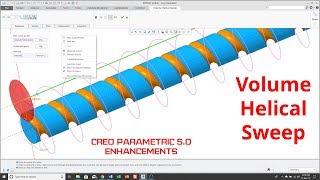
Creo Parametric 5.0 Enhancements
Explore key enhancements in Creo Parametric 5.0, including Volume Helical Sweep, GD&T, sheetmetal, and ModelCHECK. Learn new features and techniques to improve your CAD modeling skills.
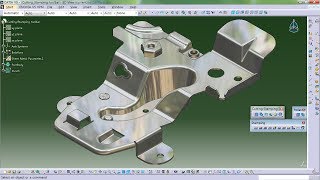
Generative Sheetmetal Design - Catia Tutorial
Learn advanced sheet metal design techniques in CATIA, covering cutting, stamping, walls, bending, and more. Master practical applications through diverse project examples.
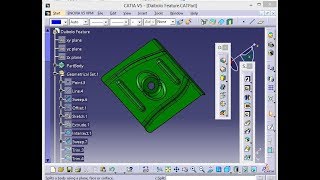
Body in White Panel Design in Catia V5
Comprehensive tutorial on Body In White (BIW) panel design using CATIA V5, covering advanced surface modeling techniques for automotive sheet metal components.

CATIA V5 Tutorials for Beginners
Step-by-step tutorials covering CATIA V5 basics to advanced topics, including part modeling, assembly, drafting, and sheet metal design. Hands-on exercises for practical skill development.
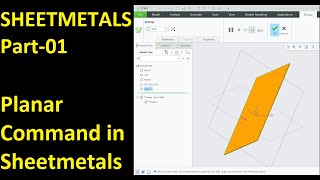
Creo Sheet Metals
Master Creo Sheet Metal commands for efficient design, including planar, flange, bend, punch, and advanced features like twist and revolve tools.
CATIA V5 Tutorial in Hindi
Comprehensive Hindi tutorial covering CATIA V5 features including sketching, part design, surface modeling, sheet metal, assembly, analysis, and machining for beginners to advanced users.

CATIA Tutorial
Comprehensive CATIA V5 tutorial covering 3D modeling, product design, and advanced features. Learn essential tools and techniques for effective CAD design and engineering.
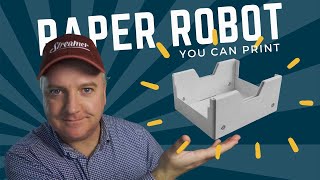
Paper SMARS - A Robot You Can Print
Design and build a printable paper robot using Fusion 360's sheet metal feature. Learn about material considerations, design techniques, and assembly methods for creating your own customizable SMARS robot.

Drawing Tips & Tricks
Discover advanced Fusion 360 drawing techniques, from multi-view and custom drawings to tables, balloons, and templates. Enhance your skills with expert tips for efficient and professional technical drawings.
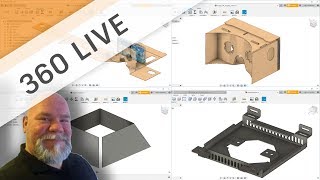
Sheet Metal Tips & Tricks with Wayne
Discover sheet metal design techniques and tool-pathing workflows with expert Wayne Griffenberg, covering flanges, bending, folding, and assembly in Autodesk software.
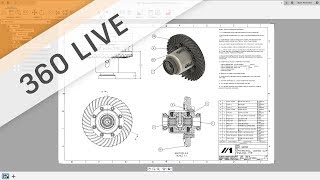
Drawing Templates
Improve drawing efficiency in Fusion 360 by learning to edit title blocks, add attributes, and create templates for automatic multi-sheet generation.
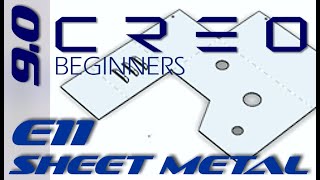
Creo Parametric 9.0 - Sheet Metal I Tutorial - Exercise 11
Explore sheet metal creation in top-down assembly mode using shell technique in Creo Parametric 9.0. Master essential skills for efficient sheet metal design.

Autodesk Inventor: Sheet Metal Basics - Tutorial for Beginners - Exercise 11
Learn sheet metal basics in Inventor: contour flange, hem, relief cuts, flattening, drawing patterns, and setting defaults. Master essential tools for efficient sheet metal design.

What's New in Creo Parametric 11.0
Explore Creo Parametric 11.0's new features, including sheet metal multi-body functionality, enhanced sketch capabilities, and improved assembly design tools.
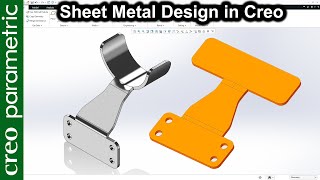
Shaft Holder - Sheet Metal Design in Creo Parametric
Design a shaft holder using sheet metal techniques in Creo Parametric. Master essential skills for creating precise and functional components.
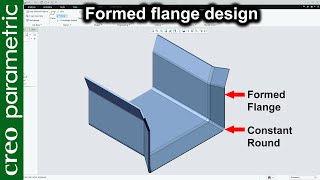
Sheet Metal Design - Formed Flange in Creo Parametric
Learn to design a machine part using sheet metal and formed flange techniques in Creo Parametric, enhancing your CAD skills for efficient manufacturing.