Testing the Pi Substitute BTT CB1 and M4P-M8P Boards With Octoprint & Klipper
Explore BTT CB1 and Manta boards as Raspberry Pi alternatives for 3D printing. Learn to set up Debian, install Octoprint and Klipper, and integrate with mainboards for enhanced printer control.

Wireless 3D Printing With Octoprint - Advanced Hints and Tips
Advanced Octoprint tips for wireless 3D printing: Raspberry Pi setup, WiFi configuration, SSH access, plugin management, backups, and integration with Astroprint for enhanced 3D printer control.

Prusa XL 3D Printer Review - Improvements and Current Performance
Comprehensive review of Prusa XL 3D printer, detailing modifications, upgrades, and performance improvements. Explores print quality, software updates, and overall user experience after addressing initial issues.
Best Mobile Apps for 3D Printing
Discover top mobile apps for 3D printing, from file management to printer control and CAD. Enhance your printing experience with these versatile tools for various aspects of the hobby.
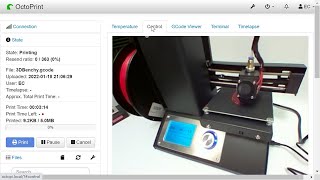
Raspberry Pi Zero 2 W OctoPi 3D Printer Control
Learn to install and use OctoPrint 3D printer control software on a Raspberry Pi Zero 2 W, with step-by-step setup instructions and demonstrations using a Monoprice Mini Select V2 printer.

Driving 3D Printers with Python
Explore challenges and solutions in developing OctoPrint, an open-source web interface for 3D printers, focusing on end-user software maintenance and Python implementation insights.

3D Printing Gophers with Go
Explore 3D printing Gophers using Go: Learn concepts, tools, and practical examples for managing and monitoring 3D printers, from firmware interaction to data visualization.
Lerdge 32 Bit Mainboard on Giant Delta - No Firmware Compilation Required
Comprehensive guide on installing and configuring Lerdge 32-bit mainboards for delta 3D printers. Covers hardware setup, firmware updates, and advanced features like auto bed leveling and filament runout detection.
Octoprint 2021 - Easier Installation, Raspberry Pi 4b, Configuration and Plugins
Learn to install, configure, and use Octoprint on Raspberry Pi for 3D printing. Covers setup, plugins, remote access, bed leveling, and integration with Cura. Ideal for makers looking to enhance their 3D printing workflow.
Install Octoprint - Ender 3 V2 Firmware Update - Wifi 3D Printing
Step-by-step guide to install Octoprint on Raspberry Pi for wireless 3D printing, including Ender 3 V2 firmware update, hardware setup, software configuration, and integration with Cura slicer.