
Animated PowerPoint Slide Design Tutorial
Learn to create visually stunning PowerPoint slides with gradient backgrounds, clickable menus, and smooth animations. Master advanced design techniques for impactful presentations.
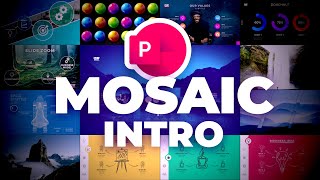
How to Create a Mosaic Video Intro in PowerPoint
Learn to create an eye-catching mosaic video intro using PowerPoint's Morph transition. Master image placeholders, vertical and horizontal scrolling animations, and add a professional touch with logo and handwriting effects.

PowerPoint 2019 Advanced Tutorial
Master advanced PowerPoint 2019 features like slide masters, SmartArt, transitions, and animations. Learn time-saving techniques, create professional templates, and enhance presentations with screen recordings and sharing options.

PowerPoint 2019 Beginner Tutorial
Learn essential PowerPoint 2019 skills to create impressive presentations. Master slide design, text formatting, image manipulation, transitions, animations, and organization techniques for standout results.

Creating a PowerPoint Template with Section Zooms - Tutorial
Learn to create an interactive PowerPoint template with section zooms, including slide design, glass effects, transitions, and more. Enhance your presentation skills with this step-by-step tutorial.

Creating a Dynamic Product Slider in PowerPoint - Step-by-Step Tutorial
Learn to create an interactive, animated product slider in PowerPoint using Morph transitions, clickable buttons, fade effects, and dynamic titles for impressive presentations.

Advanced PowerPoint Animation Tutorial - Book Flip Animation
Master realistic book flip animations in PowerPoint using Morph transitions and 3D rotation techniques to create engaging, professional-looking presentation effects.