How to Make Video Animation in Keynote for Beginners
Step-by-step guide to creating professional explainer-style animations in Keynote using stock assets. Learn to add audio, animate text, transition scenes, and export your video without advanced skills.
Keynote Tutorial
Comprehensive guide to Apple Keynote: from basics to advanced features. Learn to create, customize, animate, and share professional presentations using various multimedia elements and collaboration tools.
Cool Text Effects in Keynote for Mac
Discover easy-to-create, impressive text effects in Keynote for Mac, including textured backgrounds, neon, and glitch styles. Enhance your presentations with these cool techniques.
Apple iWork Keynote Tips and Tricks - Creating a Linked Presentation for Use in a Classroom
Create engaging, interactive tutorials using Keynote's linked slideshow feature for iPad-based classroom content delivery. Learn techniques for self-guided presentations and object locking.

How to Map Out an Effective Zoom Meeting
Learn to plan and execute engaging Zoom meetings with expert Adrian Salisbury. Covers goal-setting, tech setup, personality, scenes, branding, and tools like Ecamm Live to elevate your virtual presentations.
Creating Video Animations in Keynote - Workshop Day 3
Learn to create dynamic video animations in Keynote, covering basic and advanced techniques like Magic Move, build orders, overlays, stingers, and more. Perfect for enhancing live streams, videos, and presentations.
Building Live Streaming Assets with Keynote - Workshop Day 2
Learn to create professional live streaming graphics using Keynote, including overlays, lower thirds, and logos. Master essential design techniques for engaging visuals that enhance your streams and videos.
Keynote Basics for Live Stream Graphics and Video Presentations - Workshop Day 1
Learn to create engaging graphics for live streams and presentations using Keynote. Master toolbar setup, shapes, custom fills, transparency, and exporting formats to elevate your visual content.
Ecamm Advanced - Screen Sharing
Master advanced screen sharing techniques for software tutorials, immersive presentations, and green screen effects. Learn window management, Keynote integration, and pro tips to elevate your streaming game.
CrazyTalk Animator 2 Tutorial - Customize Animation Templates for PowerPoint-Keynote
Learn to customize CrazyTalk Animator 2 templates for presentations, including character swapping, text editing, animation customization, and logo addition for enhanced visual impact.
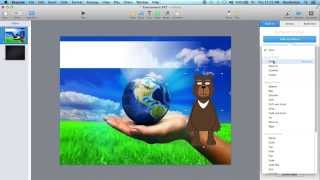
CrazyTalk Animator 2 Tutorial - Create Animated Effects in PowerPoint-Keynote
Learn to create and integrate animated effects in PowerPoint and Keynote using CrazyTalk Animator 2. Master character animations, GIF exports, and motion paths for engaging presentations.
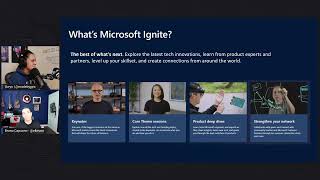
Qué Esperar y Aprender en Microsoft Ignite - Guía para Principiantes
Guía completa para aprovechar Microsoft Ignite: navegación, selección de sesiones, networking y oportunidades de aprendizaje en la conferencia digital líder en innovación tecnológica.