Computer Vision With Arduino - OpenCV Python
Learn to create real-world computer vision applications using Arduino, from basic exercises to exciting projects like gesture control and face tracking. Gain practical knowledge to build your own innovative ideas.

Crazy Split Head Effect - Billie Eilish x Takashi Murakami Tutorial
Learn to create a Billie Eilish-inspired split face effect with popping eyes using Adobe After Effects. Step-by-step guide covers face tracking, masking, and eye animation techniques.
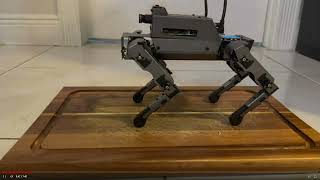
Interacting with AI Robots: Face Tracking, QR Code Recognition, and Security - Demo 2023
Explore AI robotics basics, face tracking, QR code recognition, and robot security vulnerabilities through live demonstrations and practical examples.
Quick and Fun 2D Hand Mocap Animation in Cartoon Animator 4
Explore advanced 2D hand animation techniques in Cartoon Animator 4, including bone-based manipulation, hand pose editing, and motion capture using Leap Motion for quick and expressive character animations.
Maximizing the Spark AR Engine for Performance and Delivery - F8 2019
Explore Spark AR engine mechanics, optimization techniques, and performance strategies for creating high-quality AR experiences across diverse mobile devices and contexts.
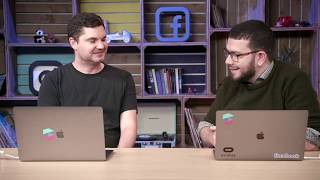
Spark AR Masterclass - AR and Gaming
Learn to create engaging AR social games using Spark AR Studio, focusing on face tracking techniques and user experience design for immersive gameplay.
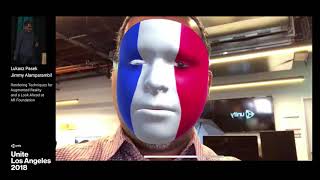
Rendering Techniques for Augmented Reality and a Look Ahead at AR Foundation
Explore advanced AR rendering techniques and Unity's AR Foundation tools for seamlessly blending virtual and physical spaces, enhancing immersion in augmented reality experiences.
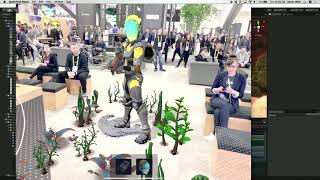
Achieving High-Fidelity AR with the Lightweight Render Pipeline
Explore Unity's AR Foundation package, including LWRP support, AR Remote, and face-tracking. Learn to create high-fidelity AR experiences using multi-platform tools and unique features.
Memojis Under the Hood
Explore Face Tracking and ARKit 2 to create personalized Memojis. Learn the technology behind iOS 12's animated emoji feature and implement custom facial animations in your apps.
Computer Vision Using Go and OpenCV 3
Explore computer vision applications using GoCV, combining Go and OpenCV. Learn to build advanced IoT solutions with face tracking, motion detection, and drone control using Tensorflow.
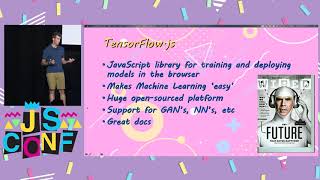
Yoga Pose
Explore face tracking and yoga pose evaluation using TensorFlow and React. Learn to implement fun features and scoring algorithms for interactive web applications.
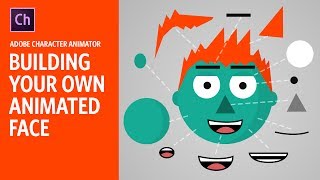
Building Your Own Animated Face - Adobe Character Animator Tutorial
Learn to create an animated face using Adobe Character Animator. This beginner-friendly tutorial covers basic tools and techniques, guiding you through the process of building a functional puppet for your animations.